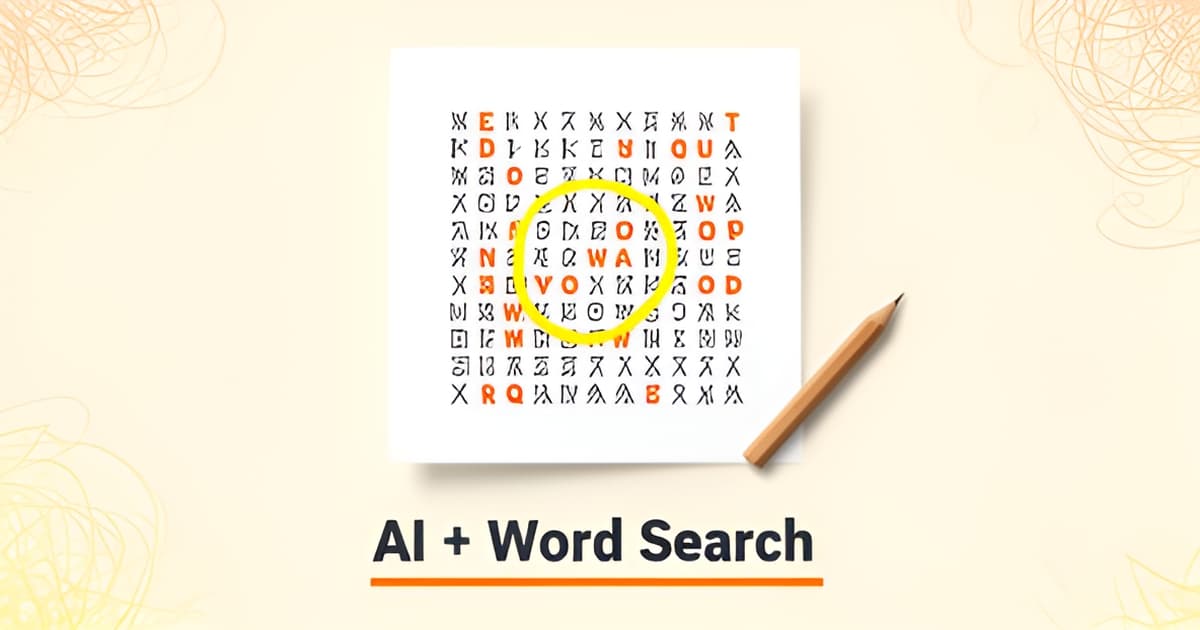
Can AI create a word search?
Key Facts
- 33% of teachers now use AI specifically to create worksheets and activities, according to RAND's 2025 survey.
- Teachers who use AI weekly save an average of 5.9 hours a week, about six weeks per school year, per Gallup's survey of 2,200+ U.S. teachers.
- Teacher AI use for instructional planning more than doubled, jumping from 25% in 2023–24 to 53% the next year, RAND research found.
- In nearly every AI word search tool, AI drafts the themed word list while a deterministic algorithm builds the grid and filler letters, as JigsawMake's hybrid model shows.
- AI word search generators can produce 5–20 themed words in seconds, with grid sizes ranging from 5×5 up to 30×30, according to JigsawMake.
- Twinkl requires an Ultimate subscription for its AI word search generator, while JigsawMake offers a free core tool with daily AI limits for unsigned-in users.
- Puzzle grids that look readable on screen often need spacing adjustments after printing, PuzzleGenerator.org warns.
The Blank Grid Problem: Why Word Searches Take Longer Than They Should
Anyone who has sat down to build a word search knows the real question isn't "can AI create a word search" but "why am I still doing this by hand?" The puzzle itself looks simple. The work behind it isn't.
It usually starts with the word list. You want a dinosaur-themed puzzle for a birthday party, so you brainstorm twenty species, then trim the list because half of them don't fit. Then comes the grid: fitting words forward, backward, and diagonal without collisions, filling the empty squares with letters that don't accidentally spell something unfortunate. Then you export it, discover the margins are wrong, and print it twice.
If you're a teacher, this is a recurring cost. RAND's 2025 survey found that 33% of teachers now use AI specifically to make worksheets or activities, and teacher AI use for instructional planning jumped from 25% in 2023–24 to 53% the following year. That's a lot of people who've already decided the manual version isn't worth their evening.
The time math backs them up. Gallup's survey of over 2,200 U.S. public school teachers found that weekly AI users save an average of 5.9 hours a week, which adds up to roughly six weeks of time across a 37.4-week school year. Even a fraction of that, applied to puzzle-making alone, is meaningful.
Parents prepping birthday kits feel the same squeeze on a smaller scale. A word search is one page in a stack of activities, and it rarely earns that much hand-crafting. The bottleneck is predictable:
- Brainstorming a themed word list that fits the child's age and interests
- Fitting words into a grid without overlaps or awkward gaps
- Getting the whole thing print-ready, with margins and answer keys intact
The first item is where AI genuinely shines. As PuzzleGenerator.org notes, word list generation is one of the areas where AI saves the most time, since creators skip manually brainstorming dozens of related words. Tools like JigsawMake let you type a theme and get 5–20 fitting words in seconds, then build the grid as usual.
Printoodle's word search maker follows that same hybrid pattern: AI drafts the themed vocabulary, you edit freely, and the grid and print layout handle themselves. If what you need is a finished printable word search in minutes rather than an evening, the blank page stops being the problem.
How AI Actually Builds a Word Search: The Hybrid Model
So, can AI create a word search? Yes, but the honest answer is more interesting than a simple yes. In most tools, AI handles the words while dedicated software builds the grid. Look behind Twinkl, AmuseLabs PuzzleMe, JigsawMake, and PuzzleGenerator.org and you'll find the same division of labor: AI drafts themed vocabulary from a topic prompt, and an algorithm places those words in the grid and fills the empty cells with random letters.
The pattern is remarkably consistent. PuzzleGenerator.org's "Fill Words by AI" feature generates themed word lists while its export tools handle the puzzle layout. AmuseLabs PuzzleMe's AI CoPilot produces word lists "within seconds" from a topic you type, after which the platform "will generate filler letters for your word search grid." JigsawMake works the same way: its AI returns 5 to 20 English words fitting your theme, dropping into an editable word box the software then arranges.
Why the split? Because the two halves of a word search demand very different skills. Brainstorming 15 words about the water cycle or a baby shower is slow, tedious human work that language models do well. Placing words in overlapping directions without collisions and filling the gaps is pure computation, something a deterministic algorithm does faster and more reliably than any AI model. PuzzleGenerator.org makes the contrast explicit, contrasting AI's "strong thematic vocabulary alignment" against traditional generators that pull "dictionary-based or randomly selected vocabulary."
The hybrid model also wins on trust. Every serious vendor in this space frames AI output as a first draft that needs human eyes, and the numbers back up the demand: RAND research found 33% of teachers now use AI to make worksheets or activities, and Gallup found teachers using AI weekly save an average of 5.9 hours per week. Twinkl puts it plainly: AI output "should always be critically checked to fully reflect your intended purpose."
The best tools make that review loop painless:
- Type a theme and get a draft word list in seconds, then edit any word before generating
- Choose difficulty tiers, from short words for early readers to longer vocabulary for adults
- Export a print-ready PDF with a synchronized answer key
That last point matters more than people expect. PuzzleGenerator.org notes that "puzzle grids that appear readable on screen may require spacing adjustments after printing," so print testing is part of a real workflow, not an afterthought.
This is exactly how Printoodle approaches it. The word search maker follows the proven hybrid pattern: AI drafts the themed vocabulary, you edit freely, and the software builds the grid and a printable word search ready for the classroom or the kitchen table. Skip the blank page, keep the judgment, and print.
AI Word Search Tools Compared: What to Look For
If you've ever typed a theme into an AI word search generator and gotten a puzzle that looked nothing like what you pictured, you already know: not all tools work the same way. Knowing what separates a good one from a frustrating one saves you a lot of trial and error.
The first thing to check is how the tool handles access. The market splits into two camps. Twinkl's dedicated AI word search generator, which lets you "choose any topic" and get a tailored puzzle, sits behind an Ultimate subscription. On the other end, JigsawMake offers a free core tool with AI daily limits if you're not signed in. Printoodle follows the free-with-limits model: you get 10 credits just for verifying your email, then pay per pack from $5, with reprints free forever. If you only make a few puzzles a month, that difference matters.
Second, look at difficulty tiers. This is where AI genuinely helps across age groups. JigsawMake offers easy, normal, and hard AI vocabulary levels, with easy words aimed at early readers and ESL learners and hard tiers using "longer, less common words for adult puzzles." A tool that only spits out one difficulty level won't serve a family making puzzles for both a five-year-old and a grandparent.
Third, check the practical specs:
- Grid size range: JigsawMake supports 5×5 up to 30×30 grids; AmuseLabs PuzzleMe goes from 4×4 to very large with an auto-size option.
- Word directions: eight controllable directions on JigsawMake, which changes puzzle difficulty significantly.
- Export formats: PDF and PNG with answer keys (JigsawMake), or PDF, PNG, and SVG (PuzzleGenerator.org).
- Language support: AmuseLabs covers 40+ languages if you're working beyond English.
Finally, consider what the AI actually does. In nearly every tool, AI generates the themed word list while software builds the grid and filler letters. That's the hybrid model, and it's a good one, because it keeps you in control. PuzzleGenerator.org puts it plainly: "a strong AI workflow is designed to assist creators, not replace them." Look for tools that let you edit the word list before the grid generates, not ones that lock you into whatever the AI drafted.
The biggest AI advantage, according to PuzzleGenerator.org, is niche theme expansion: the ability to generate vocabulary for any topic, from dinosaur word searches to baby shower games to this week's classroom science unit. That's exactly the approach behind Printoodle's word search maker: type a theme, get a draft word list, edit it freely, and print a ready-to-go printable word search as a PDF. With 33% of teachers now using AI to create worksheets and activities, according to RAND data cited by EduGenius, tools that combine AI speed with full editing control are quickly becoming the standard.
From Draft to Print: A Review-Then-Print Workflow That Works
So AI can create a word search. The catch, according to nearly every tool examined, is that the output works best as a draft you review before printing. Twinkl puts it plainly: AI-generated material should always be critically checked before it reaches students. That's not a limitation. It's a workflow, and it takes about five minutes once you know the steps.
Step 1: Type a theme, let AI draft the words. This is where AI earns its keep. Instead of brainstorming vocabulary from scratch, you type something like "ocean animals" or "Revolutionary War" and get a themed list back. JigsawMake's AI, for example, returns 5–20 words fitting your theme, and PuzzleGenerator.org notes that word list generation is one of the areas where AI saves the most time. The payoff is real: teachers who use AI weekly save an average of 5.9 hours per week, per a 2025 Gallup survey of over 2,200 U.S. teachers.
Step 2: Edit the list. Treat the AI list as a starting point. Swap out words that are too hard, delete duplicates, add the vocabulary your lesson actually covers. As one guide frames it, AI removes the blank page, not your judgment. The mechanical work is done; the editorial decisions stay yours.
Step 3: Pick grid size and directions. Most tools let you control difficulty here. JigsawMake offers grids from 5×5 up to 30×30 with eight controllable word directions, and its tiers run from easy words for early readers to longer, less common words for adult puzzles. Smaller grids and fewer directions suit younger kids; bigger grids and diagonal or reversed words challenge older solvers.
Step 4: Verify the answer key. This is the step people skip, and shouldn't. Check that every word in your edited list actually appears in the grid, and that the answer key matches. A quick manual pass catches the rare placement error before twenty students find it for you.
Step 5: Print-test the spacing. PuzzleGenerator.org flags a practical gotcha: grids that look readable on screen may need spacing adjustments after printing. One test print tells you whether the letters are comfortable to circle with a pencil.
Printoodle's word search maker follows this same review-then-print pattern: type a theme, edit the draft list freely, choose your grid settings, and export. Every printable word search downloads as a print-ready PDF with Letter as the default and an A4 toggle if you're outside North America. And because finished puzzles live in your library, reprints are always free, so that spacing test print costs you nothing.
- Type a theme and let AI draft 5–20 themed words
- Edit the list to match your lesson or occasion
- Choose grid size and word directions for your audience
- Verify the answer key before printing
- Print-test spacing, then reprint for free
The whole loop, from theme to test print, fits inside a coffee break. Print it, doodle it, done.
Frequently Asked Questions
Can AI actually create a word search, or does it just suggest words?
Do I still need to check an AI-generated word search before printing it?
How much time does AI actually save when making puzzles or worksheets?
Are AI word search generators free, or do I need a subscription?
Can AI word searches work for different ages and difficulty levels?
What's the biggest advantage of using AI for word searches instead of a random generator?
The Blank Page Is Optional Now
So, can AI create a word search? Yes, but the best tools don't hand you a finished puzzle and walk away. They hand you a strong first draft: AI brainstorms the themed word list in seconds, software builds the grid and filler letters, and you keep the editorial judgment that makes the puzzle actually fit your lesson or your birthday kid. That hybrid model is why teachers who use AI weekly save an average of 5.9 hours a week, according to Gallup's 2025 survey, time better spent on teaching than on fitting "Stegosaurus" diagonally into a 15×15 grid. Your next step is simple: pick a theme, edit the draft word list, verify the answer key, and print-test once. Printoodle's word search maker walks that exact loop, and every printable word search lands in your library with free reprints forever. Print it. Doodle it. Done.