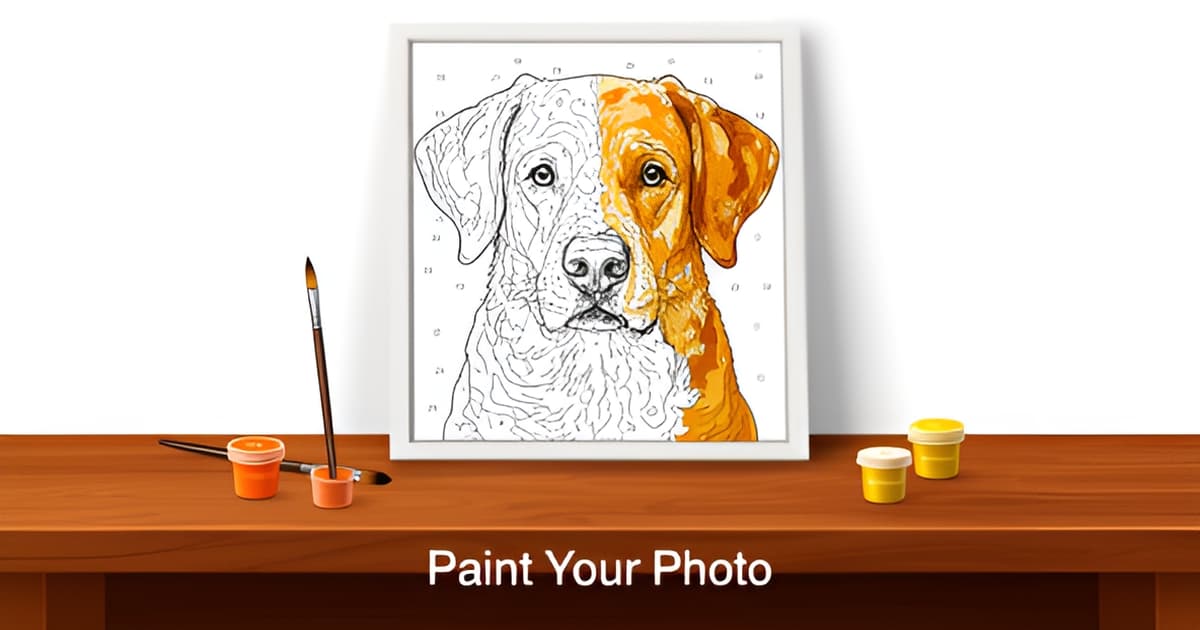
Can I create a custom paint by number picture?
Key Facts
- Yes, you can create a custom paint by number picture in minutes, one vendor reports more than 450,000 customers for its custom kits, per a Detroit News press release.
- Paint by number originated in Detroit in 1949, with roughly 12 million kits sold by 1954, according to the Smithsonian's collection.
- An independent reviewer who tested 130+ images across nine generators found most produced disappointing results.
- Some paint by number generators create up to 4,000 microscopic paint sections, making the actual painting nearly impossible to finish.
- A custom paint by number kit takes 8 to 25 hours to complete, depending on size and detail, per independent testing.
- Vendors recommend photos of at least 750px in both dimensions, since low-resolution images lack the tone data needed for conversion.
- Custom photo paint by number kits typically cost $40 to $120 for a physical set with canvas, paints, and brushes.
The Short Answer: Yes, and It's Easier Than You Think
Yes, you can create a custom paint by number picture, and the process takes minutes, not weeks. Upload a photo, let a generator convert it into numbered regions, and you either download a printable PDF or order a physical kit with canvas, paints, and brushes shipped to your door.
The category splits into two delivery models. The digital route gives you a printable template you print at home, which is where Printoodle fits: you upload a photo, spend credits, and download a print-ready PDF in seconds, with free reprints from your library forever. The physical kit route sends a pre-printed canvas with numbered acrylic paints and brushes, typically priced at $40 to $120 for custom photo kits.
This isn't a niche hobby, either. One vendor reports 450,000+ customers for its custom kits, and the format has serious pedigree: paint by number originated in Detroit in 1949, with roughly 12 million kits sold by 1954 according to the Smithsonian's collection. People love painting their own photos because, as one vendor puts it, there's a genuine thrill in watching an unfinished canvas slowly reveal a familiar face or a favorite pet.
Here's the honest part. An independent reviewer who tested 130+ images across nine generators found most of them produced disappointing results. The two failure modes show up again and again:
- Bad photo choices: dark, blurry, or cluttered photos produce dark, blurry, overwhelming paintings. Resolution matters too; aim for at least 750px in each dimension.
- Preview-optimized designs: some generators look great on screen but create up to 4,000 microscopic paint sections, making the actual painting nearly impossible to finish.
- Overly literal color mapping, where shadows on a face become heavy dark regions in the final design.
The reviewer's conclusion is worth remembering: the best generators aren't the ones preserving the most detail, they're the ones creating paintings people actually finish. A custom kit takes 8 to 25 hours to complete, so an unfinishable design wastes a real chunk of your life.
The good news is that both problems are avoidable, and it starts before you upload anything. The same photo-to-activity idea extends beyond painting, too: if you enjoy turning personal images into interactive fun, tools like picture bingo cards, a winter mystery picture, or an easter mystery picture work on the same principle, just with markers instead of brushes.
Picking the Right Photo: Where Custom Paint by Number Projects Succeed or Fail
The photo you upload decides everything. When you create a custom paint by number picture, the generator doesn't fix a bad source image; it translates it, flaws and all. One independent reviewer who tested more than 130 images across nine generators put it bluntly: "Dark blurry photos still produce dark blurry paintings" (a hands-on comparison of nine generators).
Resolution comes first. Vendors consistently recommend a minimum of 750px in both height and width, since the design has to map your photo onto dozens of distinct, numbered paint zones (photo-to-painting guides). A small screenshot or a compressed social media thumbnail simply doesn't carry enough tone information for the conversion to work.
Lighting matters just as much, and here's why: color-mapping is literal. A shadow falling across a face doesn't read as "shadow" to the software; it reads as a darker skin tone, and it becomes a permanent dark patch in your painting (vendor guidance on photo conversion explains that the design turns photo tones into paintable areas, with no interpretation). Even, soft lighting across the face gives you a painting that actually resembles the person.
The consensus rules for a photo that converts well:
- High resolution: at least 750px in height and width
- Even lighting, with no shadows across faces or key details
- A simple background; clutter becomes overwhelming once it's numbered paint zones
- Close-up subjects, since distant faces lose the details that make them recognizable
- Group photos capped at four people; beyond that, faces shrink past the point of recovery
Backgrounds deserve a special warning. A busy kitchen counter or a crowded beach looks fine in the photo, but every object in it becomes a set of tiny numbered regions you'll have to paint. Clean, simple backgrounds keep the focus where it belongs and keep the project enjoyable rather than exhausting, which matters when a custom kit can take 8 to 25 hours to complete depending on size and detail.
The same logic applies when you're converting photos into other personalized activities on Printoodle, whether that's a paint-by-number style page or pixel art. And if you're building a whole themed activity set around a favorite photo, tools like picture bingo cards, a winter mystery picture, or an easter mystery picture reward the same photo discipline: sharp, well-lit, close-up sources.
So before you upload anything, zoom in on the eyes. If you can't see crisp detail there at full zoom, find a better photo. Your painting will thank you for it.
How to Turn Your Photo Into a Paint by Number Design in Printoodle
So you've picked your photo. Here's how the whole thing actually works on Printoodle, and why the digital route skips most of the friction that comes with physical kits.
The workflow is deliberately short: upload your photo, spend a few credits, and download a print-ready PDF. Letter size is the default, with an A4 toggle if you're printing outside the US. Your design then lives in your library, where reprints are free forever, so you can print a fresh copy for a second kid, a classroom, or a do-over after a spilled-smoothie incident. New accounts get 10 free credits, which is enough to try the process before committing to anything.
Contrast that with the physical kit model. Custom photo kits from major sellers run $40 to $120, and once the box arrives you're looking at an estimated 8 to 25 hours of painting time depending on size and detail, according to an independent tester who uploaded over 130 images across nine platforms. A printable PDF you already own costs nothing to reprint, and you can start painting the same afternoon.
One thing worth understanding before you generate anything is the detail-balance tradeoff. That same tester found some generators produce designs with roughly 4,000 microscopic paint sections, which turns a relaxing afternoon into a chore. As he put it, a lot of generators optimize for the preview image, not the actual painting experience. Vendors themselves admit the tension: PBNify notes that overly detailed designs would require a magnifying glass just to read the numbers, so it aims for designs that stay "paintable" (per its own guidance).
A few habits that keep your design on the right side of that line:
- Use a photo with even lighting; shadows on a face become dark, muddy tones in the design.
- Keep it to one or two close-up subjects, and no more than four in a group shot.
- Stick to simple backgrounds; clutter multiplies into dozens of tiny sections.
- Aim for at least 750px in height and width so details survive the conversion.
And if the painting bug leads elsewhere, Printoodle's same photo-to-activity engine powers picture bingo cards, plus seasonal generators like the winter mystery picture and easter mystery picture tools. Print it. Doodle it. Done.
Painting Your Custom Design: Technique Tips and Gift Ideas
There's a real thrill in watching a familiar face slowly emerge from a grid of numbered shapes. Once you've created a custom paint by number picture from your own photo, the painting stage is where the keepsake actually comes to life.
Work dark to light and top to bottom. Starting with your darkest colors means lighter shades can layer over any bleed later, and a top-down approach keeps your hand from smudging wet sections you've already finished. Pick one color at a time and fill every matching numbered area before switching, as recommended in practical painting guides. Apply enough paint that the printed numbers disappear under the surface.
Patience matters at the finish line, too. Give your completed piece a full 24 hours to dry before varnishing, so the paint cures evenly and the varnish doesn't disturb your work. Expect the project to take a while: independent testing found custom kits typically demand 8–25 hours of painting depending on size and detail, which is part of why the finished piece feels meaningful to give.
And it really does make a memorable gift. As one vendor puts it, gifting a kit based on a personal photograph turns a fun activity into a deeply cherished keepsake. Strong subjects include:
- Pet portraits, especially close-ups where fur and eyes stay crisp
- Family photos with one or two subjects (groups work best under four people)
- Vacation snapshots with simple, uncluttered backgrounds
- Wedding photos for anniversaries, plus birthdays and holiday milestones
If you're building a themed gift or party activity, Printoodle's other generators pair nicely with a painted keepsake. Turn more photos into picture bingo cards for a birthday, or use a winter mystery picture or easter mystery picture to keep the seasonal fun going. Print it, paint it, and you've made something no store shelf can match.
Frequently Asked Questions
Can I really turn my own photo into a paint by number picture?
What kind of photo works best for a custom paint by number?
How long does it take to paint a custom paint by number kit?
Is a printable paint by number PDF as good as a physical kit?
Why did my custom paint by number design turn out dark and muddy?
Does a custom paint by number picture make a good gift?
Your Photo Is Already a Masterpiece, Now Paint It
So, can you create a custom paint by number picture? Absolutely. Pick a sharp, well-lit photo with a simple background and no more than four faces, upload it, and you'll have a print-ready design in seconds. Remember the two pitfalls that sink most projects: bad source photos translate into bad paintings, and overly detailed designs, some generators crank out thousands of tiny sections, turn a relaxing 8-to-25-hour project into a chore. When you're ready, start painting dark to light, top to bottom, one color at a time, and let your piece dry a full day before varnishing. On Printoodle, your first 10 credits are free, your design lives in your library, and reprints are free forever, perfect for a second painter or a classroom set. And if you catch the personalized-activity bug, the same photo magic powers picture bingo cards, a winter mystery picture, or an easter mystery picture. Print it. Doodle it. Done.