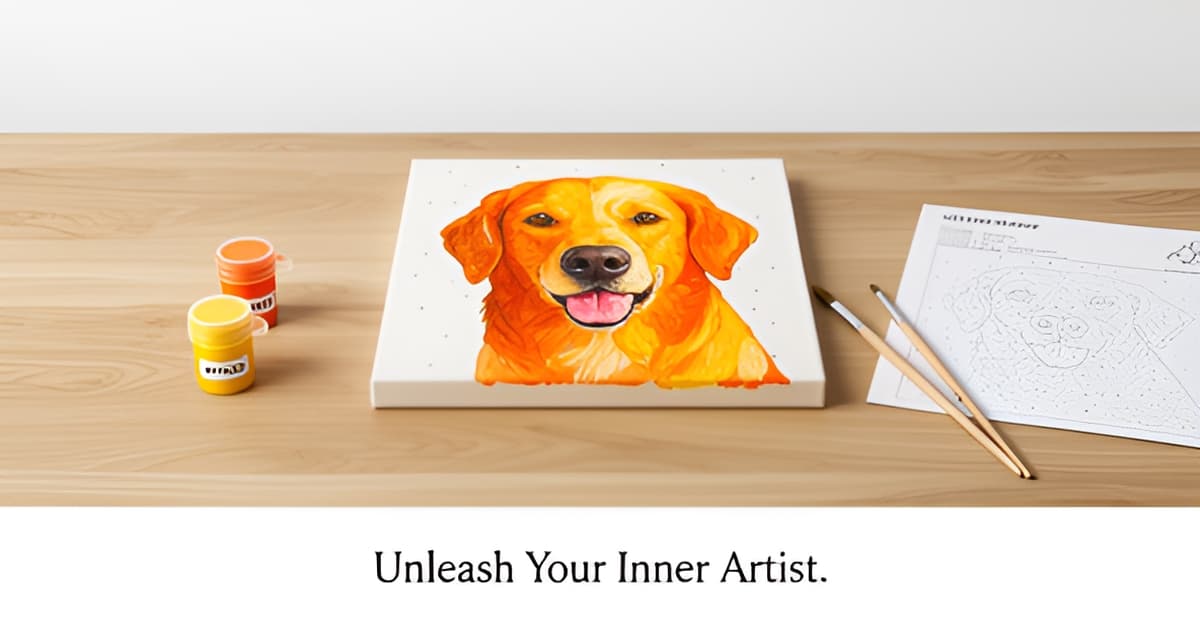
Do it yourself paint by numbers?
Key Facts
- The global paint-by-numbers kit market is worth an estimated USD 1.06 billion in 2025, projected to hit USD 1.68 billion by 2034, according to market research.
- Adults drive 58% of paint-by-numbers sales, seeking a screen-free, low-skill creative hobby, market data shows.
- Digital and printable patterns are the fastest-growing segment, expanding at a projected 7.9% CAGR through 2034, per industry projections.
- Custom photo kits cost USD 40–50 versus USD 18–30 for catalog designs, making DIY generation a major money-saver, pricing research indicates.
- A WHO Europe review of over 3,000 studies found a major role for the visual arts in promoting health and managing illness, as reported in market research.
- Photo-to-pattern conversion takes about five minutes, and photo quality matters more than software choice, according to a detailed software comparison.
- Acrylic paints dry within 20 minutes to an hour, so a two-pass painting approach keeps your hand off wet paint, painting guides note.
Why Do It Yourself Paint by Numbers Is Worth a Try
Do it yourself paint by numbers starts with a simple frustration: you want to paint your own photo, but a custom kit runs USD 40–50, while catalog designs cost USD 18–30 and never feel personal. According to market research, adults make up 58% of paint-by-numbers sales, and what they're shopping for is a screen-free, low-skill creative hobby. Generating your own pattern sidesteps the markup entirely.
The numbers back this up. The global paint-by-numbers kit market sits at an estimated USD 1.06 billion in 2025, projected to reach USD 1.68 billion by 2034. Within that, the segment growing fastest is digital and printable patterns, files you print at home and paint with your own supplies, at a projected 7.9% CAGR through 2034. Custom photo designs are also the fastest-growing design type, which tells you where the demand is heading.
The DIY route costs a fraction of a custom kit because you supply the printing and the paints. The conversion itself takes about five minutes with a photo-to-pattern generator, and freemium tools let you preview and download a print-ready PDF before spending anything. Printoodle works the same way: you upload a photo, spend a few credits, and download a print-ready PDF, with 10 free credits when you verify your email, so your first attempt is essentially risk-free.
There's a wellbeing case behind the trend, not just a financial one. A WHO Europe review of more than 3,000 studies found a major role for the arts, including visual arts, in promoting health and managing illness. Paint-by-numbers fits that finding neatly: it's structured enough to require no drawing skill, repetitive enough to feel like active meditation, and completely offline.
Here's what you gain by generating your own pattern instead of buying a kit:
- Cost control: a printable pattern plus your own acrylics beats a USD 40–50 custom kit, and reprints of anything you generate on Printoodle stay free forever.
- Full personalization: any photo with clear shapes and good contrast converts well, so the subject is genuinely yours.
- Zero-risk experimentation: if a design doesn't work, regenerate it. You haven't paid for canvas, brushes, and pre-matched paints.
One caveat worth knowing early: practitioners note that paper buckles under acrylic, so for a keeper piece you'll want the template printed on canvas or transferred onto one. For practice runs and casual projects, though, the DIY path is the cheapest, fastest entry point the hobby offers.
How DIY Paint by Numbers Actually Works (From Photo to Pattern)
Ever wondered how a photo of your dog becomes a numbered canvas you can actually paint? The process behind do it yourself paint by numbers is simpler than most people expect, and it takes about five minutes from upload to printable pattern.
Under the hood, every generator does the same core job. According to a detailed software comparison, the tools reduce your photo to flat color regions, typically 12 to 30 of them, trace the outlines between those regions, and assign each one a number. You get a line-art template plus a color key, and your job is simply to match paint to number.
Each flat region gets a number that corresponds to one paint color. Paint every region labeled "3" in color 3, move on to the next number, and a recognizable image emerges. It's the same system that powered the original 1950s kits, just automated. Some generators, like PBNify, support up to 60 colors, though most photos convert best with far fewer.
If you want to organize your painting sessions, Printoodle's even and odd numbers tool lets you split the work into two passes: paint all the odd-numbered sections first, let them dry, then tackle the evens. Acrylics dry within 20 minutes to an hour, so a two-pass approach keeps your hand off wet paint.
Here's the part most beginners miss: photo quality matters more than software choice. The same comparison guide puts it plainly: a picture with clear shapes and good contrast converts well, while a busy background, low light, or a soft-focus face does not. Every generator performs the same core function, so switching tools won't rescue a bad photo.
Before you upload, run your photo through this quick check:
- Clear, distinct shapes (a face filling the frame beats a distant figure)
- Good contrast between subject and background
- Even lighting, no heavy shadows or blown-out highlights
- A simple background you can crop away
The whole conversion runs fast. Free generators like PBNify produce a design "in a few moments," and the full workflow, upload, adjust, download a print-ready PDF, takes about five minutes. Printoodle gives you 10 free credits when you verify your email, so you can test the entire workflow at zero cost before spending anything.
One honest caveat: home printers put the pattern on paper, and paper buckles under acrylic. For a painting you plan to keep, print on heavier stock or transfer the pattern to canvas. For practice runs and gifts that don't need archival quality, plain paper works fine.
Print it. Doodle it. Done.
The DIY Pitfalls Nobody Warns You About
Every DIY paint by numbers project hits the same three walls, and nobody warns you until you're standing in front of a buckled sheet of paper wondering where it all went wrong. Here's the honest rundown, plus the fixes that actually work.
Paper buckling. Home printers print on paper, and paper buckles under acrylic, so anything you want to keep needs a heavier substrate. Standard printer paper absorbs the moisture in acrylic paint and warps as it dries. The fix: print a test sheet first, then either use heavy cardstock (200gsm or more) for practice runs, or transfer your final template onto canvas. Acrylics dry in 20 minutes to an hour, so a warped surface becomes permanent fast.
Tiny, faint numbers. This is the single biggest gripe in the entire category. Faint or tiny printed numbers are the most common complaint, and they're miserable to squint at mid-painting. Print at the largest size your printer allows, bump the print quality to high, and consider a magnifying glass. If you're generating your own pattern, fewer color regions mean bigger cells, which means bigger, readable numbers. If you want a primer on how numbered regions actually work, Printoodle's even and odd numbers tool is a quick way to see the logic before you commit paint to paper.
Paint-matching headaches. Generators assign colors your craft-store set may not contain, and adult-level designs use 24 to 48 colors while a basic starter set might carry twelve. Match your paints to the generated palette before you paint a single cell. Here's the practical checklist:
- Lay out every paint you own and compare it against the palette preview before printing.
- Accept close-enough matches; subtle shade differences read fine from across the room.
- Reduce your design to 12–15 color regions if your paint supply is limited.
- Test questionable colors on a scrap of the same paper you'll paint on.
One more honest note: if the photo truly matters to you, sources in the kit industry argue the free DIY route can be a false economy once you add up conversion time, printing, and paint matching. That's exactly why testing first makes sense. Printoodle gives you 10 free credits when you verify your email, so you can generate a pattern, print it, and discover whether the format suits you before spending a cent. Reprints stay free forever, so your second attempt after fixing paper or number-size issues costs nothing. Print it. Doodle it. Done.
Step-by-Step: Generate and Paint Your First Design
The whole conversion takes about five minutes once you have the right photo, so your first do it yourself paint by numbers design is closer than you think. Here's the workflow, start to finish.
Generate the design. Pick a photo with clear shapes and good contrast, because the quality of your result depends almost entirely on the photograph, not the software. A busy background, low light, or a soft-focus face won't convert well. Every generator does the same core job: it reduces your photo to flat color regions (typically 12 to 30), traces the outlines, and assigns each region a number.
With Printoodle, you upload the photo, hit generate, and preview the result before spending anything. New accounts get 10 free credits on email verification, which is enough to test the workflow with zero risk. If you like what you see, download the print-ready PDF in Letter size (or toggle to A4) and print it.
One practical note: your design lives in your Printoodle library, and reprints are always free. That matters here, because paper buckles under acrylic paint. Print a practice copy on regular paper, and if you intend to keep the piece, print again on the heaviest stock your printer handles or transfer the template to canvas. And if the printed numbers look small, print a second copy at a larger size to keep beside you as a reference. Tiny, faint numbers are the most common complaint in this entire category.
Paint it. The technique guidance is remarkably consistent across experienced painters:
- Use acrylics, not oils. Oil paint behaves badly on numbered templates; acrylic is what the kits themselves use.
- Work dark to light to prevent smudging lighter areas, and cover the whole canvas with one color before switching.
- Paint top to bottom so your hand never rests on wet paint, and tackle small sections first while your concentration is fresh.
- Soften harsh boundaries with a clean, dry toothpick to gently blur the lines between colors.
- Once dry, apply a thin layer of clear acrylic varnish to seal and protect the finished piece.
Acrylics dry within 20 minutes to an hour, so you can work in short sessions rather than one long sitting. Adults, who drive 58% of paint-by-numbers sales, typically paint in exactly that way: dark to light, over several relaxed evenings. If you enjoy the numbered-section format, Printoodle's even and odd numbers tool offers another way to play with numbered designs once your painting is done.
Print it. Doodle it. Done.
Frequently Asked Questions
Can I turn my own photos into a paint by numbers pattern at home?
What kind of photos work best for DIY paint by numbers?
What are the common pitfalls of DIY paint by numbers and how do I avoid them?
Do I need to buy a full kit, or can I DIY with my own supplies?
What painting technique should I use for the best results?
Is DIY paint by numbers actually relaxing, or is it frustrating?
Your First DIY Painting Is Five Minutes Away
Do it yourself paint by numbers comes down to three things: a good photo, a five-minute conversion, and the right technique. Pick an image with clear shapes and strong contrast, generate your pattern, and print it on heavy stock (or transfer it to canvas for a keeper). Paint dark to light, top to bottom, one color at a time, and you'll sidestep the pitfalls that trip up most beginners, from buckling paper to squinting at tiny numbers. The payoff goes beyond saving money versus a USD 40–50 custom kit: you get a genuinely personal piece and the screen-free, meditative hobby that drives 58% of adult demand in this market. Ready to begin? Verify your email on Printoodle for 10 free credits, upload a photo you love, and download your first print-ready pattern at zero risk. Once your painting dries, try the even and odd numbers tool to plan your next numbered creation. Print it. Doodle it. Done.