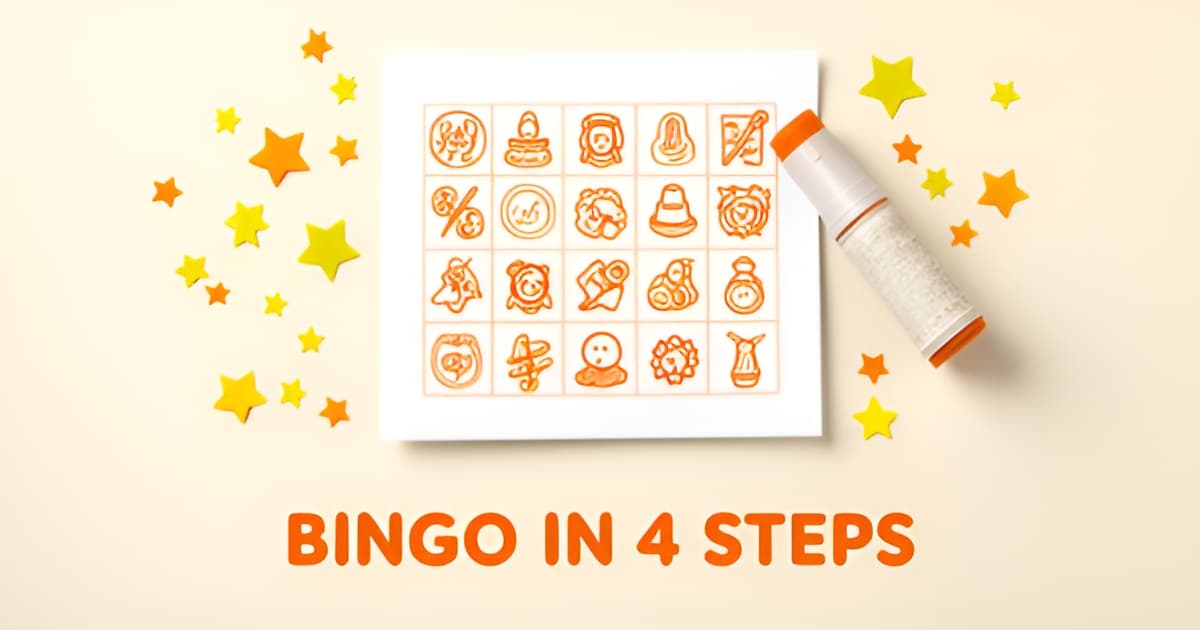
How to make a printable bingo game?
Key Facts
- [
- "A standard 5x5 bingo card supports roughly 155,112,100,433,309,859,840,000,000 unique combinations, making duplicate cards among players effectively impossible according to BingoBaker",
- "Themed and personalized bingo is a growth direction; The Price Is Right: Bingo! grew weekly active users from 113K to 140K, confirming thematic licensing drives engagement per Sensor Tower data",
- "Venue operators consistently report that themes matched to the audience are what make bingo nights memorable, with families preferring movie, animal, travel, and seasonal themes according to Triple Crown Bingo",
- "Printoodle offers 10 free credits after email verification, with credit packs starting at $5, making a single session cost less than a pack of party napkins per Printoodle business context",
- "A 3x3 bingo card produces only 362,880 unique combinations, which is still plenty for a living room game but worth knowing for large crowds according to BingoBaker documentation",
- "Canva offers 3M+ free stock photos and hundreds of bingo templates, providing extensive design resources for custom card creation according to Canva",
- "Bingo Blitz™ peaked at ~$3.8M in early March 2024 before settling to ~$3.2M by quarter's end in the US, demonstrating mobile bingo's significant revenue market per Sensor Tower data"
- ]
Why Printable Bingo Is Worth Making (and Why It's Not Hard)
You’ve got a party to plan, a classroom to fill, or a rainy afternoon to rescue, and the idea of designing a bingo game from scratch feels like learning a new software suite. The good news is that bingo’s staying power means custom cards are a proven crowd-pleaser across every occasion. With the rise of themed variants like Singo and Instagram story bingo dominating social feeds, the demand for personalized cards has never been higher. Research into market trends shows that venue operators consistently report themes matched to the audience are what make bingo nights memorable, and data from the US bingo app market confirms that themed licensing drives significant engagement. The workflow for creating printable cards has been streamlined across leading platforms into a simple, repeatable process that anyone can follow.
The core steps remain consistent whether you use a dedicated generator or a design suite: start by entering a title and choosing a grid size, options typically range from 3x3 for quick games to 5x5 for larger groups. Next, add your content; this is where you input words, numbers, or phrases tailored to your specific theme, whether that’s a baby shower, a classroom vocabulary review, or a hobby-focused gathering. Once your grid is populated, the generator randomizes the layout to ensure every card is unique, and you can download a print-ready PDF instantly. Printing guidance from design resources recommends using heavyweight or card-stock paper for reusable sets, while standard paper works fine for disposable cards, and the default output size is typically 8.5 x 11 inches.
Design choices matter more than you might expect for keeping the game flowing smoothly. The most important principle is recognition over obscurity, squares should be easy to read and identify at a glance, so avoid long phrases or tiny images that guests might struggle to see. A themed free space in the center square instantly strengthens the connection between the card and the occasion, and adding personal touches like facts about a guest of honor, shared inside jokes, or local landmarks makes the experience feel special. For educational or reading contexts, word-based bingo is a documented use pattern that helps reinforce vocabulary or comprehension skills in a fun, low-stakes format.
Printoodle makes this entire process accessible without any design experience. With a few clicks, you can generate personalized, print-ready bingo cards tailored to your specific theme and audience. The platform handles the randomization and formatting, delivering a PDF that’s ready to download and print. Whether you are hosting a bridal shower, planning a classroom activity, or just looking for a fun way to pass the time, the tools are built to get you from idea to game in minutes. Print it. Doodle it. Done.
bingo card generator reading bingo
The 4-Step Workflow: Title, Grid, Content, Print
Every bingo generator on the web, from classroom tools to party design platforms, follows the same basic recipe. Learn it once and you can make a printable bingo game for a birthday, a bridal shower, or a rainy Tuesday in about five minutes. The workflow has four steps: set a title and theme, choose your grid, fill the squares, then generate and print.
Here's the process in full:
- Pick a title and theme. This shapes everything else, from the words on the card to the free space. Event hosts consistently find that a theme matched to the audience (animals and movies for kids, music or decade nights for adults) is what makes a game memorable.
- Choose a grid size. The standard card is 5x5, giving 25 squares with a free space in the center. Smaller grids suit shorter games and younger players.
- Fill the squares. Enter words, numbers, or images. For traditional number bingo you'll want a pool of at least 75 items so every square can be filled.
- Generate and print. The generator randomizes your content into unique cards, then you print as many as you need.
That randomization step matters more than people expect. A 5x5 card supports roughly 155,112,100,433,309,859,840,000,000 unique combinations, so the odds of two players getting identical cards are effectively zero, as BingoBaker's documentation points out. Drop to 3x3 and that number falls to 362,880, which is still plenty for a living room but worth knowing if you're printing for a large crowd.
Grid size also changes how the game feels. A 5x5 card with a free center square plays longer and works well for readers. A 3x3 grid is the sweet spot for preschoolers: fewer squares to scan, faster wins, and shorter attention demands. Most generators, including BingoBaker, offer 5x5, 4x4, and 3x3 options for exactly this reason.
If you'd rather skip the layout work entirely, a bingo card generator like Printoodle's handles all four steps from a short prompt: you describe the theme, it builds randomized, print-ready cards as a PDF, and reprints stay free forever. The same goes for themed variants like reading bingo, where squares hold book titles or reading challenges instead of numbers.
One practical note before you print: use heavyweight or card-stock paper if players will mark and reuse their cards, and regular paper for one-and-done games. Standard 8.5 x 11 inch sheets fit one or two cards per page comfortably.
Whichever tool you use, the advice from experienced generator builders applies: just play around with it. It's bingo. You won't break anything.
Making Your Cards in Printoodle: A Walkthrough
If you can fill in a blank and click a button, you can make a printable bingo game. That's the whole pitch behind Printoodle's bingo card generator: describe what you want, spend a credit or two, and download a print-ready PDF in minutes. No design software, no fiddling with grid cells at midnight before the party.
Here's how the workflow actually looks, step by step.
1. Write a short brief or theme. Start by telling the tool what the game is for. "Baby shower bingo with the guest of honor's name," "classroom reading bingo for third grade," or "birthday party bingo with dinosaur squares" all work. This mirrors the first step in any generator workflow: enter a title and theme before touching the grid. Event operators note that a clear theme is what makes a bingo night memorable, shaping everything from the squares themselves to the atmosphere around them (Triple Crown Bingo).
2. Spend credits and generate. Printoodle runs on a credit system. New users get 10 free credits after email verification, and credit packs start at $5, so a single session costs less than a pack of party napkins. The generator produces randomized cards, the same way established tools randomize your words or numbers into unique cards (myfreebingocards.com). That randomization matters: a standard 5x5 card has more than 155 septillion possible arrangements, so duplicate cards among your players are effectively impossible.
3. Download the print-ready PDF. Your download arrives as a PDF set to US Letter by default, with an A4 toggle if you're printing outside North America. For paper choice, the same rule applies as with any printable bingo: heavyweight card stock holds up for reusable cards, while regular paper is fine for one-and-done games (Canva). Print a call list too, or cut the squares apart and draw them from a hat, a technique bingo hosts have used for decades.
4. Reprint free, forever. Everything you make lives in your Printoodle library, and reprints never cost credits. Lose a card mid-game? Print another. Twenty extra guests RSVP? Print another twenty.
A few themed ideas worth trying:
- Reading bingo for classrooms: squares like "read under a blanket" or "read to a stuffed animal" turn independent reading into a game, and a dedicated reading bingo generator handles the setup for you.
- Personalized party bingo: include facts about the guest of honor, shared memories, or inside jokes in the squares. Guests mark squares as the bride or birthday kid lives them out loud.
- Vocabulary flip-cards: put the word on the front of a square and a clue or image on the back, a documented technique for teaching with bingo.
- Baby or bridal shower bingo: guests fill squares with predictions or gifts they expect, then mark them as the event unfolds.
One design rule carries across every theme: keep square contents instantly recognizable. Short words and clear images beat long phrases every time, and a themed free space in the center ties the whole card together.
Print it. Doodle it. Done.
Design Tips That Make Cards Fun to Play
A bingo card is only as fun as its squares. The difference between a card players squint at and one they can't wait to dab comes down to a few design choices you can make before you ever hit print.
The first rule from experienced hosts: recognition beats cleverness. According to venue operators who run themed bingo nights, every square should be instantly recognizable. Skip long phrases, tiny images, and obscure references. A single bold word like "Beach" or a clear picture of a sun hat works; a paragraph-length inside joke crammed into a 1-inch square doesn't. If you're pairing words with images, tools like BingoBaker let you combine text and pictures in one square, which helps younger players who can't read yet.
Don't waste the center square. A themed free space, whether it's the birthday kid's name, a wedding date, or a doodle of the guest of honor, ties the whole card to your occasion. The same venue operators note that personalization is what guests remember: facts about the guest of honor, shared memories, inside jokes, or local landmarks all make strong square content for showers and family parties.
Match your theme to your audience. Families tend to gravitate toward movie, animal, travel, and seasonal themes, while adult groups enjoy music bingo, decade parties, and Hollywood nights. If you're building something educational, word-based cards work well; a reading bingo card, for instance, turns a summer reading challenge into a game. Printoodle's bingo card generator handles the randomization for you, so every player gets a unique layout from the same word list.
Finally, think past the single line. Bingo patterns range from the classic row to quirky shapes like diamonds and letters, according to Bingo Card Creator. Mixing patterns keeps a night interesting:
- Four corners for a fast opening round that gets everyone a quick win
- Letter shapes, like X or L, for mid-game variety
- Diamond or picture-frame patterns for a satisfying finale
- Blackout (full card) as a suspenseful closer with the best prize
One reassuring note if you're new to this: as BingoBaker's FAQ puts it, "I strongly recommend you just play around. It's bingo. You won't break anything." Experiment with themes, square counts, and patterns until the card feels right.
Printing and Running the Game
Getting the physical game ready is where the planning turns into play. For groups who want to reuse cards again and again, 8.5 x 11 inch card stock provides the durability needed for multiple rounds. Those running a one-night event or a classroom activity can stick with regular 8.5 x 11 paper, Printoodle’s default Letter format works perfectly for either choice. The generator produces PDFs ready to download, so whether you are printing one card or one thousand, the setup takes just a few clicks.
When it comes to calling the game, most hosts find that reading the call list in order keeps the pace steady, but bingo card generator tools also allow printing call sheets that can be cut up and drawn from a hat for a more tactile feel. For a typical casual night, planning for four to eight rounds hits the sweet spot, long enough to build excitement but short enough to maintain energy. Prize strategy follows a similar rhythm: starting with a small token gift in the first round, introducing a mystery prize midway through the session, and saving the best reward for the final winner keeps engagement high from start to finish.
Reading bingo cards offer a fun twist for literacy groups or family game night, and Printoodle’s reading bingo tool makes it easy to generate custom cards from a short word list or brief description. Whether you are filling a rainy afternoon or planning a themed shower, the process is quick, the cards are personalized, and the PDFs are ready to print whenever you are. Print it. Doodle it. Done.
Frequently Asked Questions
How long does it take to make a printable bingo game?
What grid size should I use for my bingo cards?
Will two players end up with the same bingo card?
How many words or numbers do I need to fill a bingo card?
What kind of paper should I print bingo cards on?
How do I make my bingo cards fun instead of boring?
From Idea to Game Night in Minutes
Whether you are hosting a classroom review, planning a themed party, or simply looking for a fun way to pass a rainy afternoon, creating your own printable bingo game has never been easier. As we have explored, the process follows a simple, repeatable workflow: set a title and theme, choose your grid size, fill in your custom squares, and generate a print-ready PDF in minutes. Key design principles, like prioritizing instant recognition over clever phrasing and utilizing a themed free space, ensure that every card is not only visually appealing but also engaging for your specific audience. With the demand for personalized experiences higher than ever, taking control of your game's content allows you to create memorable moments for any group size. Printoodle makes this entire journey accessible, transforming a blank brief into a finished game without any design experience required. Print it. Doodle it. Done.