Is there a test maker app available?
Key Facts
- [
- "AI quiz generators reportedly reduce quiz creation time from 2–3 hours to 2–3 minutes, a 90–95% time savings, with some educators claiming 10–15 hours saved per week per industry reporting",
- "QuizWiz can turn a PDF, URL, or pasted text into an editable quiz in under 30 seconds vendor comparison",
- "HelpTeaching's question library totals 221,419 questions spanning ELA, Science, ESL, Social Studies, and Health and Medicine per its own feature pages",
- "EasyTestMaker's free plan is hard-capped at 25 tests total before upgrading to Plus at $59.95/year or Premium at $79.95/year official pricing page",
- "QuizWiz free plan allows 10 question sets per month, 1,000 words per quiz, and a maximum of 20 questions per quiz OneScreen's breakdown",
- "ASCD's Educational Leadership cautions that multiple-choice formats 'really don't show the students' work or thought processes' pedagogical guidance",
- "Printoodle offers 10 free credits on email verification and free reprints forever, comparing favorably against freemium caps like EasyTestMaker's 25-test limit listed on its pricing page"
- ]
The Test Maker Landscape: What's Actually Available
So, is there a test maker app available? Yes, and plenty of them. The market has matured to the point where six tools dominate most conversations: QuizWiz, Kahoot!, Quizizz, Blooket, Quizlet, and Google Forms, according to a teacher-focused roundup. Alongside those sit dedicated test generators like EasyTestMaker and HelpTeaching's test maker, the latter backed by a library of over 221,000 pre-written questions.
The real dividing line isn't features or price. It's where the questions come from. Game-style apps like Kahoot! and Blooket, plus Google Forms, require you to type every question yourself. QuizWiz and Quizizz (on paid plans) generate questions from source material you upload or paste. As one vendor bluntly put it, "half the apps that call themselves the best quiz apps are really trivia games with a school logo."
AI generation is where creation speed has collapsed. Industry reporting claims quiz creation time drops from 2–3 hours of manual work to 2–3 minutes, with some educators reporting 10–15 hours saved per week. QuizWiz says it can turn a PDF, URL, or pasted text into an editable quiz in under 30 seconds.
A quick pricing snapshot:
- QuizWiz: free plan with 10 question sets per month; Pro at $8.25/month billed annually.
- EasyTestMaker: free up to 25 tests; Plus $59.95/year; Premium $79.95/year with automatic grading.
- HelpTeaching: free tier with limited test length; paid plans unlock 100-question tests and PDF saving.
- iSpring Suite: 14-day trial, rated 4.6/5 across 850 reviews.
Two caveats are worth holding onto. Most of these time-savings figures are self-reported by the vendors themselves, so treat them as directional. And ASCD's Educational Leadership cautions that AI-generated questions still need a teacher's review, noting that multiple-choice formats "really don't show the students' work or thought processes."
There's also a quieter shift happening: test makers are becoming printable activity makers. HelpTeaching recently added word searches, math worksheet generators, and printable game generators to its platform. That convergence points to something teachers and parents already know: sometimes you need the assessment on paper.
That's the gap Printoodle fills from the other direction. Rather than a screen-based quiz app with printables bolted on, it's a web-based generator built for print-ready output from the start. Upload a document or a short brief, and you get a downloadable PDF worksheet, quiz, or trivia cards, plus puzzles via its word search maker and printable word search tools. Reprints stay free forever, which compares well against the 25-test free cap elsewhere. Print it, doodle it, done.
Where Printoodle Fits: Print-First vs. Screen-First
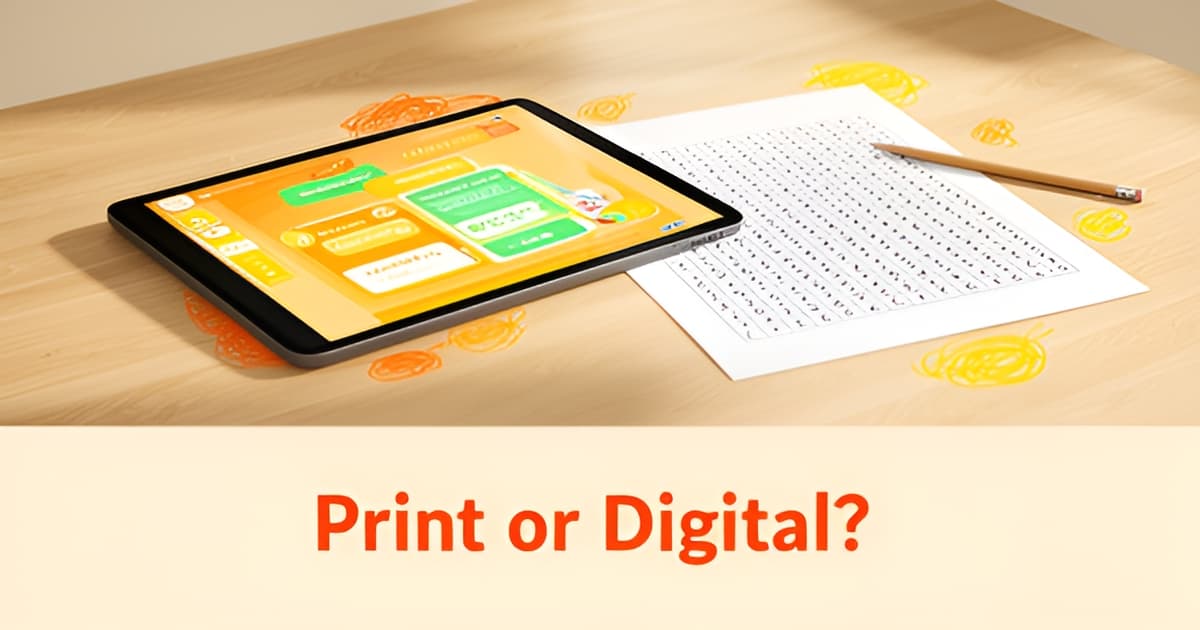
Most quiz apps assume your students have a screen in front of them. But plenty of classrooms, tutoring sessions, and kitchen tables still run on paper, and that's where the test maker app market leaves a gap worth understanding.
The dominant tools, including Kahoot!, Quizizz, Blooket, Quizlet, and Google Forms, are built for live, screen-based play. One reviewer bluntly notes that "half the apps that call themselves the best quiz apps are really trivia games with a school logo," which tells you where their priorities sit. Even the more serious generators, like QuizWiz with its sub-30-second quiz creation, output digital assessments first and foremost.
Print-first is a different job. You need a worksheet that survives a photocopier, a word search that works as a fast-finisher activity, trivia cards you can hand out at a baby shower. That's why it's telling that HelpTeaching recently added word searches, math worksheet generators, and printable game generators to its test maker. When a test maker starts building printable puzzles, that's a signal that demand for physical materials never went away.
Printoodle approaches that demand from the opposite direction. Instead of a screen-first quiz app that bolted on printables, it's a web-based generator built entirely around print-ready PDF output. You upload a document or type a short brief, spend credits, and download a PDF formatted for Letter or A4. The output spans worksheets, word search maker pages, crosswords, bingo cards, and trivia cards, with free reprints from your library forever.
How the two camps compare on the basics:
- Screen-first apps optimize for live play and instant scoring; print-first tools optimize for handouts, centers, and take-home practice.
- Freemium limits differ: EasyTestMaker caps its free plan at 25 tests, while Printoodle gives 10 free credits on email verification and never charges for reprints.
- Print output supports formats screens can't easily replicate, like a themed printable word search tucked into a birthday party pack.
There's also a pedagogical angle. ASCD's Educational Leadership argues that multiple-choice platforms "really don't show the students' work or thought processes," which is a fair critique of screen-only assessment. A printed worksheet leaves room for scratch work, annotations, and the messy middle steps of real thinking.
So if you're asking whether there's a test maker app available and your answer needs to end up on paper, the screen-first crowd isn't really built for you. Printoodle is. Print it. Doodle it. Done.
Making the Choice: Manual Entry, AI, or Print-Ready Output?
So you've found your answer: yes, there's a test maker app available for nearly every workflow. The harder question is which of the three main approaches fits how you actually build assessments. Where your questions come from shapes everything else, from time spent to what students can show you.
Manual entry gives you total control. Tools like EasyTestMaker and Google Forms let you type every question yourself, and teachers report real savings on formatting alone: "all the formatting is done for me. Word banks are randomized and EasyTestMaker will create an answer key too," writes one Ohio middle school teacher on the EasyTestMaker site. The trade-off is time. A vendor comparison estimates a manual 10-question assessment takes roughly an hour.
AI generation attacks that time cost directly. Quiz generators that write questions from your source material reportedly cut creation from 2–3 hours to 2–3 minutes, with some educators claiming 10–15 hours saved per week. Those numbers are vendor-reported, so treat them as directional rather than proven. The pedagogical caveat matters more: ASCD's Bryan Drost is blunt that a teacher should review any AI-generated output for appropriateness, and that multiple-choice formats "really don't show the students' work or thought processes." Performance tasks, he argues, reveal far more student thinking than a bubble sheet ever will.
Print-ready output is the third path, and it's converging with the other two. HelpTeaching recently added word searches and printable game generators to its test maker, which signals real demand for paper-based output. Printoodle sits squarely in this lane: upload a document or a short brief, and download print-ready PDFs, with free reprints from your library forever. Its word search maker and printable word search tools work the same way as the AI quiz generators on the source-material side, just with paper as the destination.
Here's a quick way to match the workflow to your needs:
- Manual entry if you need precise wording, district-mandated formats, or full pedagogical control over every item.
- AI generation if speed matters most and you'll commit to a review pass before anything reaches students.
- Print-ready output if your classroom runs on paper, or if you want activities like word searches and flashcards alongside formal quizzes.
One warning worth heeding: as one reviewer put it, "half the apps that call themselves the best quiz apps are really trivia games with a school logo." Check whether a tool actually assesses your standards before you build your week around it.
Print it. Doodle it. Done.
Free Tiers and What You Actually Get
Free tiers sound generous until you hit the wall. If you're wondering whether there's a test maker app available that stays genuinely useful at $0, the caps below tell the real story.
EasyTestMaker's free plan tops out at 25 tests total, according to its official pricing page. Once you've built your twenty-fifth test, you're upgrading to Plus at $59.95/year or Premium at $79.95/year. That's a lifetime cap, not a monthly allowance.
QuizWiz takes a different approach. Its free tier, per OneScreen's breakdown, allows 10 question sets per month, 1,000 words per quiz, and a maximum of 20 questions. Hit the monthly limit mid-unit and you either wait or pay $8.25/month (billed annually) for Pro.
HelpTeaching sits in between: a free tier with limited test length, while unlocking tests up to 100 questions, PDF saving, and Test Room scheduling requires a paid subscription. Here's how the free tiers stack up:
- EasyTestMaker: free forever, but hard-capped at 25 tests before you must upgrade
- QuizWiz: 10 question sets/month, 20 questions max, 1,000 words per quiz
- HelpTeaching: free tier limits test length; PDF saving is paid-only
- Printoodle: 10 credits on email verification, credit packs from $5, and reprints free forever
The structural difference matters more than the numbers. Test makers meter your output: tests built, questions written, sets per month. Printoodle meters only the initial generation. Once a page exists in your library, you can reprint it indefinitely at no cost, whether it's a quiz from your own lesson material or a puzzle built with its word search maker.
That distinction adds up for teachers who reuse materials across class periods and school years, or parents who print the same printable word search for a second child. A 25-test ceiling gets consumed by history alone. A library with free reprints never shrinks.
One honest caveat: most pricing and feature claims above come from the vendors' own marketing pages, so treat the comparative framing with that in mind. The caps themselves, though, are stated plainly by each company. Read the fine print before you commit a semester's worth of work to any single tool, because the free tier you start on is the ceiling you'll eventually live under.
Print it. Doodle it. Done.
Try Printoodle: Word Search Maker and Printable Options
So, is there a test maker app available? Yes, plenty of them. But if you've read this far, you've probably noticed the real question underneath: which tool fits how you actually work? Screen-based quiz apps like Kahoot! and Quizizz dominate the conversation, yet the printable side keeps growing. HelpTeaching, a long-standing test generator, only recently added Word Searches and Printable Game Generators to its platform, a sign that demand for print-ready activities runs right alongside traditional testing (per its own feature pages).
That convergence is where Printoodle lives. It's a web-based generator built for paper: word searches, crosswords, trivia cards, bingo, flashcards, and worksheets, all delivered as print-ready PDFs. You upload a document or type a short brief, spend credits, and download. Every creation stays in your library, and reprints are free forever, which compares well against freemium caps like EasyTestMaker's 25-test free limit (listed on its pricing page).
If you want to see the workflow for yourself, two tools make a natural starting point:
- The word search maker, which turns your own word lists into a themed, print-ready puzzle in seconds.
- The printable word search tool, built for the long-tail moments teachers and parents actually search for, from dinosaur units to baby showers.
- A free tier of 10 credits on email verification, so you can test the output before spending anything. Credit packs start at $5.
The time-savings argument that sells AI quiz tools applies here too. Vendor research claims AI generation compresses quiz creation from 2–3 hours to 2–3 minutes (per QuizFlex's use-case report), and Printoodle's upload-a-brief workflow is the print-side equivalent. One caveat worth keeping: ASCD's Educational Leadership cautions that any generated content, AI or otherwise, deserves a teacher's review before it reaches students (as Bryan Drost argues). A quick read-through before you hit print keeps quality where it belongs.
There's no commitment required to try it. Generate one word search, print it, and see how it lands with your class or your kids. Print it. Doodle it. Done.
Frequently Asked Questions
Is there a test maker app available for free?
Which test maker apps can generate questions automatically instead of making me type everything?
Do AI quiz generators really save that much time, or is that just marketing?
Are AI-generated test questions good enough to use without checking them?
What if I need a printable test or worksheet instead of a screen-based quiz?
What's the difference between test maker apps like HelpTeaching and print activity tools?
So, Is There a Test Maker App Available? Yes, Pick the One That Fits Your Paper Trail
So, is there a test maker app available? Absolutely, from screen-first quiz platforms like Kahoot! and QuizWiz to dedicated generators like EasyTestMaker and HelpTeaching's 221,000-question library. But the real decision isn't whether these tools exist; it's where your questions come from and where your assessments end up. Manual entry gives you control, AI generation collapses creation from hours to minutes (vendor-reported, so stay skeptical), and print-ready output serves the classrooms, tutoring tables, and party hosts that still run on paper. Whatever you choose, give AI-generated content a teacher's review before it reaches students, as ASCD's guidance recommends, and read the fine print on free tiers before committing a semester to them. If your answer needs to end up on paper, Printoodle was built for exactly that: upload a document or brief and download print-ready PDFs, with free reprints forever. Start with one word search or worksheet, 10 free credits on email verification means you can test the output before spending a thing. Print it. Doodle it. Done.