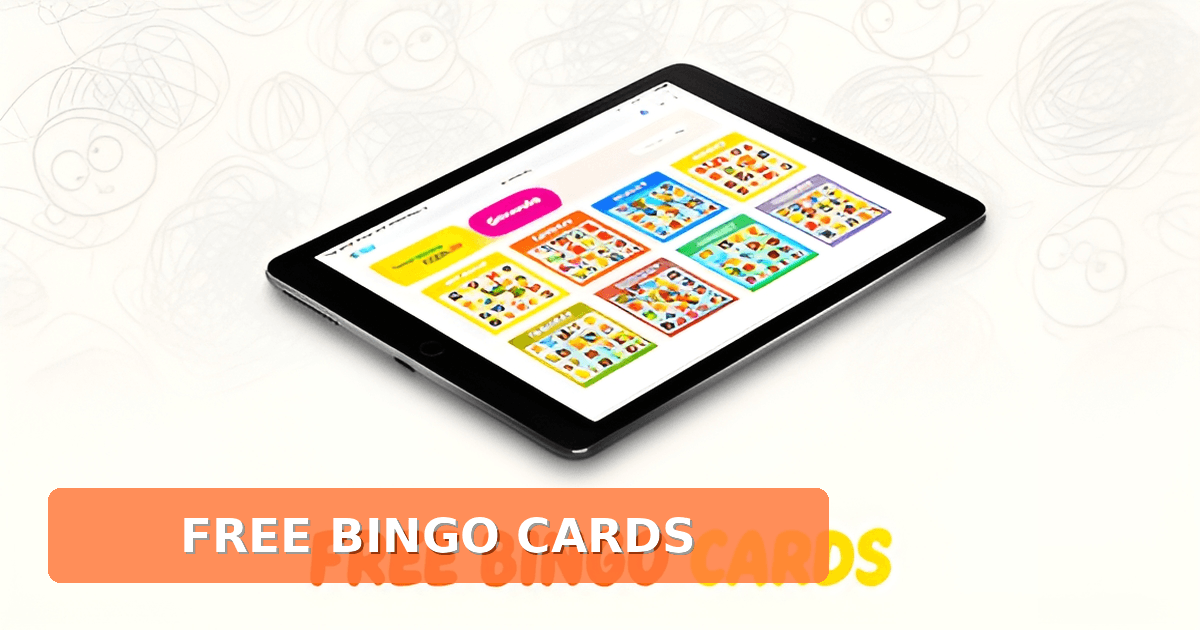
Is there an app to make bingo cards for free?
Key Facts
- All top performers in a 10-tool bingo card generator comparison are web-based tools, not native mobile apps, according to ranked research.
- Free bingo card makers trade off features: My Free Bingo Cards scored just 6.5/10, while premium Bingo Card Creator hit 9.4/10 in the same review.
- A standard 5x5 bingo grid can produce over 15.5 septillion unique cards, so duplicates are virtually impossible per BingoBaker's documentation.
- Even a 3x3 bingo card yields 362,880 unique combinations, plenty for a full classroom according to BingoBaker.
- Canva's bingo card generator is free with unlimited cards, downloads in JPEG, PNG, or PDF, plus 3M+ stock graphics per Canva's product page.
- Design suites like Canva have 'limited automation for large batch creation and strict uniqueness validation,' making 30-card classroom sets tedious per the Gitnux comparison.
- Web tools 'require no installation, save storage, and work across more devices', the key advantage over apps per a platform comparison.
The App Illusion vs. Web Reality
Type "bingo card app" into your phone's app store and you'll get plenty of results, but here's the surprise: when people ask "is there an app to make bingo cards for free," the honest answer is that the best free tools aren't apps at all. They're web-based generators that run in your browser.
The evidence for this is pretty clear-cut. A ranked review of 10 bingo card generator tools found that every top performer is a web-based generator, not a native mobile app. The list includes Canva, Adobe Express, Flippity, and EdHelper. Even Canva, which does have iOS and Android apps, runs its bingo card generator through the web, where it's free to use with unlimited card creation and downloads in JPEG, PNG, or PDF.
So why does the web win here? It comes down to practical trade-offs that matter when you're making cards for a classroom or a party:
- No installation required, so nothing eats storage on your phone or tablet
- Works across more devices, from a school laptop to a borrowed tablet
- Updates happen instantly, with no app-store approval delays
- Print-ready output like PDFs downloads directly, no screenshot gymnastics needed
As one comparison of bingo platforms puts it, a mobile website "requires no installation, saves storage, and works across more devices," while an app mainly wins on faster access and notifications for regular users. For something you use occasionally, like making a batch of cards before Friday's game night, the web advantage is hard to beat.
That said, free tools come with honest trade-offs. In that same 10-tool comparison, My Free Bingo Cards was called the cheapest entry for repeatable print sets but ranked last overall at 6.5/10, suggesting free options give up some features. Design suites like Canva and Adobe Express shine on customization but have "limited automation for large batch creation," which matters if you need 30 unique cards for a full classroom. Nearly all tools also handle card generation separately from gameplay, with no built-in number-calling interface or draw history.
This is exactly why Printoodle stays a web-based solution. Its bingo card generator runs in the browser and produces print-ready PDFs in seconds, with everything you make saved to a library where reprints are always free. For teachers, that pairs nicely with themed options like reading bingo, which turns a literacy goal into a game kids actually want to play.
The takeaway: skip the app store. The browser tab you already have open is where the good free bingo card makers live. Print it. Doodle it. Done.
Free Tools and Their Feature Tradeoffs
So you've found a free bingo card maker. Now the question becomes: what are you actually giving up? The honest answer, based on how these tools compare, is more than you might expect.
A 10-tool comparison from Gitnux puts the free and freemium options at the bottom of the pack. My Free Bingo Cards, which describes itself as a free, simple app that randomizes your words or numbers into unique cards, scored just 6.5/10 overall. It's a cheap entry point for repeatable print sets, but the score reflects real compromises in features and flexibility.
The design suites tell a different story. Canva's bingo card generator is free to use, lets you create unlimited cards, and offers hundreds of templates plus 3M+ stock photos and graphics. For a one-off birthday board or a pretty party set, that's hard to beat. The problem appears when you need thirty unique cards by tomorrow morning: the same Gitnux review flags design-suite tools for limited automation for large batch creation and strict uniqueness validation. Making each card different, by hand, gets old fast.
That's the gap in the free-tool market, and it's worth naming plainly:
- Free generators rank lowest in feature scores (6.5/10) while premium tools like Bingo Card Creator hit 9.4/10, per the Gitnux rankings.
- Nearly all tools lack a dedicated number-calling interface or draw history management, so card generation and gameplay stay separate.
- Design platforms shine on visuals but struggle with volume and uniqueness at scale.
There's also a delivery question hiding in the phrase "is there an app to make bingo cards for free." Almost every leading tool is web-based, not a native app. As one platform review puts it, a mobile website "requires no installation, saves storage, and works across more devices." That's why Printoodle's bingo card generator stays web-based too: you get fast, print-ready PDF output from any device without downloading anything. It fills the batch-creation gap that the free design suites leave open, and themed options like reading bingo extend the same approach to classrooms.
If you're weighing free options, match the tool to your actual job. A single decorated card for a small group? Canva works fine. Twenty or thirty unique, print-ready boards for a class or a shower? That's where the free tools' tradeoffs bite, and where a generator built for volume saves your evening.
Printoodle's Web-Based Approach in Context
When people ask if there is an app to make bingo cards for free, the research points to a clear answer: the category is overwhelmingly web-based. A ranked comparison of ten leading bingo card generator tools found that all top options, including Canva, Adobe Express, and Flippity, are web-based generators rather than native mobile apps. This web-first reality naturally positions Printoodle’s bingo card generator alongside category leaders like Canva and BingoBaker, but with unique strengths for themed and print-focused needs.
The web-based model offers practical advantages that apps cannot match. Because Printoodle runs in the browser, there is no installation required, no storage consumption, and the tool works across any device with internet access. As industry research notes, a mobile website requires no installation, saves storage, and works across more devices. This accessibility makes it simple for teachers to generate classroom worksheets from a laptop or for party hosts to create bridal shower bingo from a tablet on the fly.
Free options certainly exist, but they come with trade-offs. The research found that the most affordable free entry for repeatable print sets ranked lowest in overall feature scores, and design-suite tools like Canva, while powerful for customization, have limited automation for large batch creation. Printoodle addresses these gaps by delivering fast, print-ready PDF generation that users can download instantly. Everything created lives in a personal library where reprints are always free, eliminating the need to recreate cards for repeat events.
Educational and party use cases benefit particularly from Printoodle’s approach. The platform supports themed generators like reading bingo, which aligns with parent and teacher audiences looking for engaging classroom activities. Users can customize cards with their own word lists or themes, and the 5x5 grid format can produce over 15 octillion unique combinations, ensuring no two cards are ever the same. Whether generating a custom set for a rainy-day activity or a themed party pack, the web-based workflow keeps the focus on creativity rather than technical hurdles.
Printoodle makes it easy to get started. Generate your first bingo cards in seconds, or try reading bingo for a themed twist on a classic game. Print it. Doodle it. Done.
From Idea to Print-Ready Card
You've picked your theme and your word list. Now comes the part most people overthink: actually getting a card onto paper. The good news is that the answer to "is there an app to make bingo cards for free" is yes, and the fastest path runs through a browser, not an app store.
That's not an accident. A ranked comparison of ten bingo card tools found that the leaders, including Canva, Adobe Express, and Flippity, are all web-based generators rather than native mobile apps. Web tools "require no installation, save storage, and work across more devices," which is exactly why Printoodle's bingo card generator stays web-based too. You open a tab, you make a card, you print. No download, no storage hit, no device lock-in.
Here's how the process works from start to finish:
- Open the generator in any browser and choose your card type, from themed picture bingo to word lists.
- Enter your words, numbers, or brief. The tool randomizes them into unique cards, the same way MyFreeBingoCards describes its generator as randomizing "your words or numbers to make unique, great looking bingo cards."
- Customize the theme to match your occasion, whether that's a birthday kit with the child's name or a classroom set built from your own lesson material.
- Download the print-ready PDF. Letter is the default size, with an A4 toggle if you're outside North America.
- Print as many copies as you need. Every card you've made lives in your library, and reprints are always free.
The math behind those "unique cards" is worth appreciating. A standard 5x5 bingo grid can produce over 15.5 septillion distinct cards, according to BingoBaker's documentation, so even a 30-player birthday party won't run into duplicates. A 3x3 grid still yields 362,880 combinations, plenty for a classroom of second graders.
Speed matters here, and it's where free tools diverge. Design suites like Canva offer hundreds of templates and 3M+ graphics, but reviewers note they have "limited automation for large batch creation and strict uniqueness validation," per that same comparison review. If you need one beautiful card, a design tool works. If you need thirty validated, print-ready boards before the party starts, a dedicated generator wins.
Printoodle's approach fits the second case. Teachers building a reading bingo set for a summer challenge, or parents assembling a rainy-day activity, can go from idea to downloaded PDF in seconds. The whole flow is: print it, doodle it, done. That's less time than it takes to find a bingo app in the store, let alone install one.
Frequently Asked Questions
Is there an app to make bingo cards for free?
Why are most free bingo card makers web-based instead of apps?
What are the best free tools for making bingo cards?
Can free bingo card makers handle a big batch of unique cards for a classroom?
How do I know my bingo cards won't have duplicates?
Do any bingo card tools include number-calling for actually playing the game?
Skip the App Store, Open a Browser Tab
So, is there an app to make bingo cards for free? Yes, but the surprising truth is that the best free tools aren't apps at all. Every top performer in a ranked review of ten bingo card generators, from Canva to Adobe Express to Flippity, runs in the browser, where no installation eats your storage and every device with internet access works. The tradeoffs are real, though: free design suites struggle with large batch creation, and the cheapest free generator ranked last at 6.5/10 in that same comparison. If you need thirty unique, print-ready boards by tomorrow morning, a dedicated bingo card generator built for volume saves your evening, and every card you make stays in your library with free reprints forever. Teachers can take it further with a themed reading bingo set that turns literacy goals into a game kids actually want to play. Your next step is simple: open a browser tab, enter your word list, and download a print-ready PDF in seconds. Print it. Doodle it. Done.