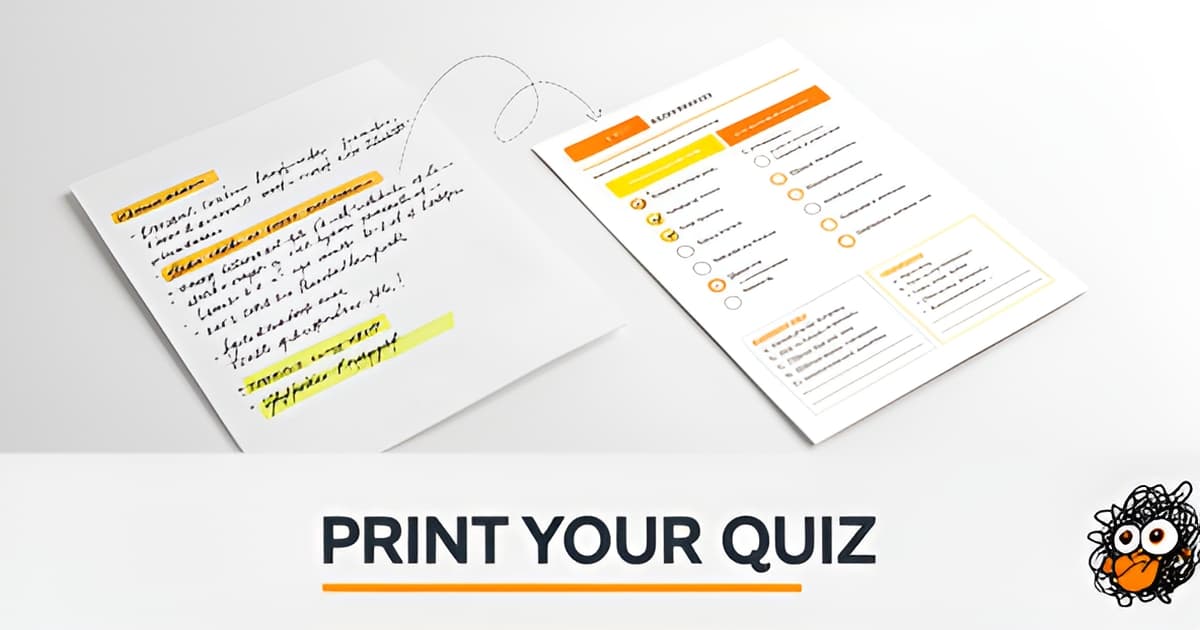
Test Maker for Teachers: Make a Printable Quiz from Your Own Lesson
Key Facts
- 59% of U.S. K-12 educators used AI tools for assessments during the 2025–2026 school year.
- Of 10 popular test makers reviewed, only Hot Potatoes explicitly supports printing.
- 64% of teachers using AI report time savings according to Gallup's 1,952-educator survey.
- Fair multiple-choice items need 3–5 options, with four choices recommended by University of Michigan guidance.
- Students should answer a stem correctly even with the options covered, per PAEA item-writing guidance.
- Real student misconceptions make the best distractors, says NC State DELTA.
- Shorter feedback intervals produce bigger learning gains per Wiliam and Leahy's principle.
Why Most Quiz Tools Fail Paper-Based Classrooms
You spent an hour last night building a quiz from your chapter notes. You hit "share," and immediately you're troubleshooting which students don't have the app, who forgot their password, and whose tablet is dead at 25%. The quiz itself is fine. The delivery system is the problem.
Most popular quiz tools were built for a different classroom. An iSpring comparison of ten widely-used test makers found that only Hot Potatoes explicitly supports printing, and iSpring QuizMaker can export to MS Word. Google Forms, Kahoot!, Quizlet, Quizizz, and QuizStar are all online-only. They assume every student has a device, a reliable connection, and an account they remember the password to. None of the ten reviewed tools offer print-specific answer keys or retake versions.
That last gap matters more than it sounds. A printable answer key saves you from flipping between answer options while grading 28 papers. A retake version, with the same questions in a different order, gives the student who bombed the first try a fair second chance without handing them someone else's test. The digital tools either skip these features entirely or hide them behind a paid tier.
Here's what the current landscape actually looks like for paper-based teachers:
- Google Forms: free, 12 question types, G2 rated 4.5, but no print formatting beyond your browser's defaults
- Quizlet: $35.99/year for Teacher Plus, gamified study modes, no printable output
- Kahoot!: strong for live interactive games, requires every student on a device
- QuizStar: free, but desktop-only, no mobile support
- Hot Potatoes: the only one with printable output, plus crossword question types
The gap is real, and it's not just about printing. It's about a workflow that respects how many classrooms still run: pencil, paper, and a teacher who needs to grade efficiently and offer retakes without rebuilding the quiz from scratch.
That's where a dedicated test maker for teachers fits in. A tool built around your own lesson material, outputting print-ready PDFs with answer keys and shuffled retake versions, no student logins required. If you want to mix things up for review day, the same approach extends to a printable quiz board review game format that keeps the energy of game-based learning without the device dependency.
How to Write Fair Multiple-Choice Questions From Your Own Notes
A fair multiple-choice question is harder to write than it looks, and the difference between a good quiz and a misleading one usually comes down to the distractors. The good news: your own lesson notes are already full of the raw material you need.
Start with a stem that stands alone. According to guidance from the University of Michigan, a student should be able to read the question, cover the options, and still produce the correct answer. PAEA's item-writing guidance agrees on this point. If your stem only makes sense once the choices are visible, rewrite it as a complete question.
Then aim for one correct answer plus three distractors. Four options is the common target, with Michigan recommending between three and five total. The counterintuitive tip: write your distractors before you write the correct answer. If you write the right answer first, the wrong ones tend to become weak variations of it.
Where do good distractors come from? Your class notes. NC State DELTA recommends jotting down questions students ask frequently and errors you noticed in class or homework, because those misconceptions make ideal wrong answers. Real student errors are the best distractor source you have, and they're already sitting in your notes.
Cambridge Assessment shows why this pays off. In a triangle-area question, each wrong answer (24 cm², 30 cm², 240 cm²) maps to a specific, diagnosable mistake. As their worked example explains, when a student picks one of those, you know the misconception behind it and can give immediate, targeted feedback instead of just marking it wrong.
A few mechanical rules keep the question fair:
- Avoid "all of the above" and "none of the above." They let partial knowledge earn credit and reward test-taking strategies over understanding.
- Keep options similar in length. Students learn that the longest answer is usually the right one.
- Order options logically, such as alphabetically or numerically. Students know correct answers hide near the end.
- Skip negative phrasing and double negatives, which cause students to misread rather than misunderstand.
Once your questions follow these rules, a test maker for teachers turns them into a print-ready quiz with an answer key, no student logins required. And for review days, the same material can become a printable quiz board review game instead of another worksheet. Expect to revise questions a few times; NC State notes that item writing is iterative, and even experienced assessors rarely nail a question on the first draft.
Answer Keys, Retake Versions, and the Feedback Loop
Grading a quiz without a separate answer key means flipping between two photocopies while twenty-eight students wait. It's the unglamorous part of assessment that most quiz tools quietly ignore: when iSpring reviewed ten popular test makers, none offered print-specific answer keys or retake versions, and most were online-only tools built for student devices rather than the copy machine in the staff room.
A good test maker for teachers treats the answer key and the retake as first-class outputs, not afterthoughts. You print one version for the class, a key for yourself, and a second version for students who need another attempt. The retake matters more than teachers sometimes admit. If the questions are identical, students who've heard "the answer to number four is B" from a classmate aren't demonstrating learning, they're demonstrating a good memory for hallway gossip.
The feedback loop is where a printable quiz earns its keep. Cambridge Assessment's guidance on writing good multiple-choice questions quotes Wiliam and Leahy's principle: the shorter the interval between eliciting evidence and using it to improve instruction, the bigger the likely impact on learning. Multiple-choice lets you see what a whole class understands in a fraction of the time individual marking would take, and well-built distractors tell you why students missed what they missed.
That's the diagnostic power of misconception-mapped distractors. Cambridge gives a worked example with a triangle-area question where each wrong answer (24 cm², 30 cm², 240 cm²) maps to a specific, nameable error, so the teacher can give immediate, targeted feedback. When you write distractors from the mistakes you actually hear in class, every wrong answer becomes information:
- A student who picks a distractor built from a common unit error needs a different fix than one who simply guessed.
- A cluster of identical wrong answers across the class points to a teaching gap, not a student gap.
- A retake version with the same misconception-mapped structure shows whether the feedback actually landed.
The time argument is real. Gallup's survey of 1,952 U.S. K-12 educators found 59% used AI tools for materials and assessments during the 2025–2026 school year, and 64% of those teachers report time savings. Gallup also found administrative tasks are the least likely to make teachers feel they matter, while helping a student through something difficult ranks highest at 85%. Every hour a tool gives back is an hour returned to the part of the job that counts.
Retakes don't have to mean a second quiet study hall, either. Once your questions exist, the same material can become a printable quiz board review game for the day before the retest, no student logins or devices required. Print it, doodle it, done.
When the Quiz Isn't the Point: Screen-Free Review Alternatives
Sometimes the review game is the lesson, and the quiz is just the excuse to play it. But the tools that make review feel like a game almost always need a device in every hand.
Kahoot!, Quizizz, and Quizlet all gamify review with timers, leaderboards, and animated avatars, and tool reviews rate them highly for interactive learning. They also all need student accounts, a Wi-Fi connection, and a working screen per kid, which rules them out for stations, sub days, and the last ten minutes before the bell.
The demand those tools prove is real. Gallup's survey of 1,952 U.S. K-12 educators found that 59% used AI tools during the 2025–2026 school year, including for building learning materials and assessments. Teachers clearly want faster, more engaging ways to run review. The question is what to do when the screens are closed.
You can run the same game energy on paper. Take the questions you already wrote for the unit and turn them into a printable quiz board review game: teams pull cards, answer aloud, and move a marker across a board. No logins, no chargers, no "my iPad died."
Crosswords work the same way. Fill the grid with your unit's key terms and let students work the clues in pairs or small groups. Of the ten tools compared in one review, Hot Potatoes is the only one that even includes a crossword question type, and it still outputs to a screen rather than to paper.
A few screen-free formats that reuse one set of questions:
- Quiz board review game in teams, with a printed board and question cards
- Crossword from your unit's vocabulary, solved in pairs
- Printable quiz as a station, with an answer key at the teacher table for self-check
- Two printed versions of the same quiz for a retake rotation
Each of these runs as a whole-class activity or at a station, and each works in a room with no Wi-Fi and no student devices. You write the questions once and use them three ways: as a quiz, as a board game, and as a crossword.
Printoodle's test maker for teachers is built around exactly that workflow. You paste in your own lesson material, get a fair multiple-choice quiz with an answer key, and print it. The same items feed the quiz board and the crossword, so one prep session covers assessment and review. Print it. Doodle it. Done.
From Lesson Notes to Printed Quiz in One Sitting
You already have the raw material. What you need is a workflow that turns it into a fair, print-ready quiz without eating your evening.
Start by uploading your lesson notes or a reading passage to Printoodle's test maker for teachers. The tool generates multiple-choice questions from your own material, then hands them back for the part that actually matters: your judgment.
Review every item before it goes anywhere near a printer. NC State's teaching resources note that item writing is iterative, so expect to revise questions two or three times. Run each one through this checklist:
- Can a student answer the stem with the options covered? If not, rewrite it.
- Do the wrong answers come from real misconceptions your class actually has?
- Are there four options, with no "all of the above" or "none of the above"?
- Are the options similar in length and in a logical order?
- Is the stem free of negatives and double negatives?
Those rules aren't arbitrary. University of Michigan guidance on writing quality multiple-choice questions warns that length and ordering clues let test-taking strategy replace actual understanding, and PAEA's adaptation of the National Board of Medical Examiners manual recommends four or five choices with a self-sufficient stem. Distractors drawn from your students' own errors do double duty: Cambridge Assessment's worked example on misconception mapping shows a teacher can diagnose exactly which error a student made, which makes feedback faster and more useful.
Next, set your answer key and version options. Printoodle lets you generate alternate versions for retakes, and every quiz lives in your library, so reprints stay free. Download the PDF as Letter or A4 and print as many copies as you have students. No logins, no devices, no class set of tablets required.
If you want a screen-free review alternative before the real thing, the printable quiz board review game and crossword formats cover the same content in a format students argue over in a good way.
Print it. Doodle it. Done.
Frequently Asked Questions
Why can't I just print a quiz from Google Forms or Kahoot!?
How do I write multiple-choice questions that are actually fair?
Where do good wrong answer choices come from?
Can wrong answers on a quiz actually tell me how to reteach?
Do teachers actually save time using AI tools to build quizzes?
How can I run a fun review day without student devices?
Your Notes Are Ready. Your Printer Is Too.
The lesson material for your next quiz is already sitting in your notes, the misconceptions you've heard in class, the questions students keep asking, the errors from last week's homework. Those are exactly the ingredients fair multiple-choice questions are made of: self-sufficient stems, four similar-length options, and distractors that diagnose rather than just mark wrong. What's been missing is the delivery. Most quiz tools assume a device in every hand and skip the things a paper classroom actually needs: print-ready output, a separate answer key, and a shuffled retake version. That's the gap a dedicated test maker for teachers is built to close. Your next step is simple: open your notes, run each question through the fairness checklist, and print. Before test day, turn the same questions into a printable quiz board review game so the review is as fun as the quiz is fair. Print it. Doodle it. Done.