What are some free games I can download for seniors?
Key Facts
- About 45% of adults over 50 play video games, and 84% of those players prefer phones or tablets, according to a 2023 AARP study.
- FreeGamesForSeniors.com offers 40 free browser games, 29 built specifically for seniors with large print, big buttons, and no timers, its site explains.
- AARP's Games Center provides free browser games across mahjongg, solitaire, word, trivia, and puzzle categories with no download required.
- Lumosity's free tier unlocks only about three games per day from its 40-plus game library, one analysis notes.
- A meta-analysis of 43 studies with 2,636 participants found only small, task-specific improvements from brain games in older adults, research shows.
- No commercial brain-game app has been proven to prevent dementia, per the National Institute on Aging cited in a review.
- Printoodle's finish the phrase for seniors tool generates a printable, ad-free conversation game in seconds, ready to print right now.
How Seniors Actually Access Free Games
When someone searches for free games to download for seniors, they usually end up somewhere unexpected: a browser. Most "free senior games" don't involve installing anything at all, and that distinction matters more than you might think.
FreeGamesForSeniors.com, for example, answers the download question directly: every game plays in your web browser, so there is nothing to install. The site offers 40 free games, 29 of them built specifically with seniors in mind, featuring large print, big buttons, no timers, and unlimited hints. AARP's game center takes the same approach, with free browser games across mahjongg, solitaire, word, trivia, and puzzle categories that open with a click.
The numbers back up how popular this has become. A 2023 AARP study of roughly 8,000 participants found that about 45% of adults over 50 play video games, and 84% of those players prefer phones or tablets. So while browser play is the easiest entry point, apps are where most seniors actually spend their time.
Each access model comes with trade-offs worth knowing before you (or a parent) sit down to play:
- Browser games need zero installation, but free ones are usually ad-funded. As one analysis notes, an app with no cost, no ads, and lots of content is rare, because apps have to pay for themselves somehow.
- Downloadable apps like Wordscapes are free but interrupt play with regular ads, and free tiers of brain-training services like Lumosity limit you to about three games per day.
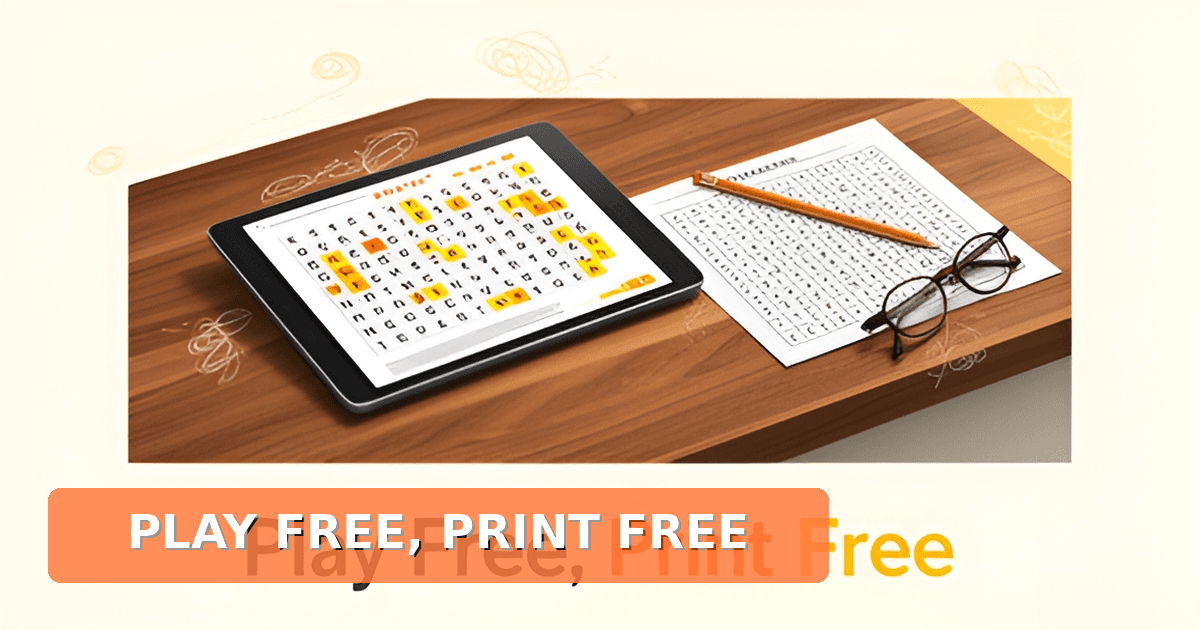
- Printable games sidestep screens entirely. Printoodle, for instance, gives 10 free credits when you verify your email, and reprints stay free forever, so a word search or trivia sheet costs nothing after the first download.
That third option deserves more attention than it gets. Research on senior gaming repeatedly flags flashing banners, surprise timers, and pop-ups as the biggest frustrations for older players, especially those who find small print hard to read or have sore hands. Paper has none of those problems. A printed game board works without wifi, without a password, and without an ad break.
Printables also fit the social side of senior play. Multiplayer features reduce feelings of isolation, and caregivers can send ready-made game links with no accounts required. The same logic applies to printed activities: a grandparent can print finish the phrase for seniors for their own coffee group, or pull up one minute games for kids when the grandchildren visit.
Whatever route you choose, the honest framing is this: free games for seniors come in three flavors, and "download" is only one of them. Browser play is the fastest, apps are the most popular, and print is the most reliable once the printer has done its work.
Top Free Options: Browser and App Choices
Most seniors asking what are some free games they can download for seniors will be happy to learn the answer is often "nothing to download at all." The best free options play right in your browser, which means no installations, no updates, and no storage worries.
AARP's Games Center is the biggest name in the space, with free browser games spanning Mahjongg, Solitaire, word and trivia games, puzzles, and daily challenges, all with no download required. The catch: some titles sit behind a "Members Only" wall, so check the label before you get invested.
FreeGamesForSeniors.com takes accessibility further. Its 40 games were built specifically for players who find small print hard to read or have sore hands, with large buttons, no dragging, no timers, unlimited hints, and an Undo button on every game. Text-size and high-contrast controls appear on every page, and a caregiver feature lets family members send ready-made game links with no accounts needed.
Wordle remains the lowest-friction option of all: permanently free, playable in any browser, no download and no account. It's also quietly social, since everyone gets the same word each day and scores get compared over coffee or phone calls.
Lumosity and BrainHQ both offer genuine free access, with limits. Lumosity unlocks three games per day from its library of 40-plus. BrainHQ's free tier gives you a "Daily Spark" exercise until you earn five stars, and some Medicare Advantage plans and libraries offer full access at no cost. As one reviewer bluntly puts it, an app with "no cost, no ads and lots of content is rare, because apps have to pay for themselves somehow."
Before downloading anything, check the App Store listing for "Contains: Advertising," review in-app purchases, and set a calendar reminder before any trial ends.
Here's what the free apps rarely give you: zero ads, zero timers, and no screen at all. Printoodle takes a different route entirely. You can generate printable word searches, trivia cards, and bingo pages in seconds, then download a print-ready PDF. The free tier includes 10 credits on email verification, and reprints are free forever, so once you've made a game, you can run it again for a group or a weekly game night without spending more.
- Finish the phrase for seniors, a ready-to-print conversation game that works beautifully for memory care and family visits.
- Word searches and trivia cards you can print in large text, sized exactly how you want.
- Photo-to-coloring pages, so a favorite pet or old family photo becomes a relaxing coloring activity.
- One minute games for kids, for grandparents who want something quick and silly to play with visiting grandchildren.
Printables also solve the caregiver problem neatly. A daughter can print a week of activities on Sunday and drop them off, no passwords or Wi-Fi required. For seniors who never quite took to touchscreens, paper games remain the most accessible interface ever invented.
The Printable Alternative: Ad-Free and Offline
Finding a game that’s truly free, easy to access, and comfortable to use can be trickier than it looks. Many so-called "free" options hide ads, pop-ups, or small text that make the experience frustrating rather than relaxing. For seniors and their caregivers, these friction points can turn a simple pastime into something stressful.
Research into the senior gaming landscape shows that browser-based games dominate the space, with sites like FreeGamesForSeniors.com explicitly offering play-in-browser access so nothing needs to be installed. A 2023 AARP study found that about 45% of adults over 50 play video games, and 84% of those prefer phone or tablet gaming. However, the same research highlights that accessibility varies widely, FreeGamesForSeniors.com was built with large print, large buttons, no timers, and unlimited hints specifically to address challenges like small print and sore hands. In contrast, many ad-funded apps interrupt play regularly, and some "free" tiers unlock content only after a membership fee or trial period ends.
Printoodle offers a practical alternative that sidesteps these common pain points entirely. As a consumer web app, Printoodle lets anyone generate print-ready activity pages in seconds, including word searches, bingo cards, and trivia sheets. New users receive 10 free credits on email verification, and every creation can be reprinted for free forever. Because the games are generated as PDFs, there are no ads, no screen timers, and no small text that adjusts unpredictably on different devices. Seniors or their caregivers can select a theme, generate the sheet, and print it once, or print it again and again without spending another credit. This offline approach means the activity happens on paper, not a backlit screen, which many find easier on the eyes and more conducive to relaxed play.
For those looking to try it immediately, the finish the phrase for seniors tool provides a ready-to-print example that showcases the no-ad, offline experience. Similarly, grandparents playing with grandchildren might enjoy exploring the one minute games for kids generator for quick, printable fun that bridges generations. Print it. Doodle it. Done.
Caregiver Tips and Wrapping Up
Choosing games for seniors means balancing accessibility, safety, and genuine enjoyment. Research shows that 45% of adults over 50 play video games, and 84% of those prefer phone or tablet gaming, but the "free" landscape is often fragmented by ads, timers, and hidden in-app purchases. Browser-based options tend to be the most straightforward, AARP’s Games Center offers a large library of free games with no download required, and FreeGamesForSeniors.com was built specifically with senior accessibility in mind, featuring large print, large buttons, no dragging, no timers, and unlimited hints. These design choices address common pain points: small print, sore hands, and the frustration of surprise pop-ups that can turn a relaxing activity into a stressful one.
For caregivers, the key is spotting the difference between truly free options and freemium models. AARP mixes free games with "Members Only" titles that require a $15 first-year subscription, while Wordscapes is free to play but ad-supported, with optional in-app purchases that can interrupt the experience. Setting up safe links is equally important, always check the App Store listing for "Contains: Advertising," open "In-App Purchases" to see what’s optional, and read recent reviews before anything is installed. Calendar reminders before trial end dates can also help avoid surprise charges on subscriptions.
Printoodle offers a different path entirely. As a consumer web app, it lets anyone generate personalized, print-ready activity pages in seconds, word searches, bingo cards, trivia, and coloring pages, using just 10 free credits after email verification. There are no ads, no timers, and no surprise charges; once a PDF is generated, reprints are free forever. This makes it a natural complement for caregivers who want offline, screen-free activities that still feel personal and engaging. A caregiver can print a custom word search based on a senior’s interests, or generate a bingo card for a family gathering, all without needing the senior to navigate a browser or deal with intrusive ads. Printoodle’s tools work entirely offline once downloaded, which directly addresses the accessibility gaps many free browser sites still have.
Blending digital and physical play can also extend the fun. For grandparents playing with grandchildren, Printoodle’s one minute games for kids generator can provide quick, printable activities that bridge the age gap, while still offering the senior-focused finish the phrase for seniors tool for a more tailored experience. This mix of printable and browser-based options gives caregivers flexibility depending on the senior’s tech comfort, attention span, and whether the goal is a solo pastime or a shared activity.
The most important thing to remember is that these games are meant for enjoyment, not as a dementia preventative. The National Institute on Aging and other research bodies note that people improve at the tasks they practice, but evidence for wider cognitive benefits is limited, and no game has been shown to prevent dementia. Play because it’s fun, social, and relaxing, let any mental sharpness be a welcome bonus, not the primary goal.
Ready to try a low-friction, ad-free activity? finish the phrase for seniors is a free Printoodle tool that generates a printable worksheet in seconds. It’s a simple way to add a personal touch to game time without any screen time or hidden costs.
Frequently Asked Questions
Do I actually need to download anything to play free games as a senior?
What are the best free game sites built specifically for seniors?
Are free brain-training apps like Lumosity and BrainHQ really free?
Why do free games have so many ads, and how can I avoid them?
Can free games actually prevent dementia or memory loss?
My parent struggles with small text and pop-ups. What games will actually work for them?
Print It, Play It, Keep It Free
So, what are some free games I can download for seniors? The honest answer: often nothing at all. Browser options like AARP's Games Center and FreeGamesForSeniors.com play instantly with no installation, while apps like Wordscapes and Lumosity's free tier are where most of the 45% of adults over 50 who play video games actually spend their time. Just watch for the catches, ads, timers, and "Members Only" walls. And remember the research caveat: games are for fun and connection, not dementia prevention. If you want the truly friction-free route, printables win. Printoodle lets you generate word searches, trivia cards, and bingo in seconds with 10 free credits on email verification, and reprints are free forever, so no ads, no Wi-Fi, no surprises. Try finish the phrase for seniors for a memory-care-friendly conversation starter, or one minute games for kids when the grandkids visit. Print it. Doodle it. Done.