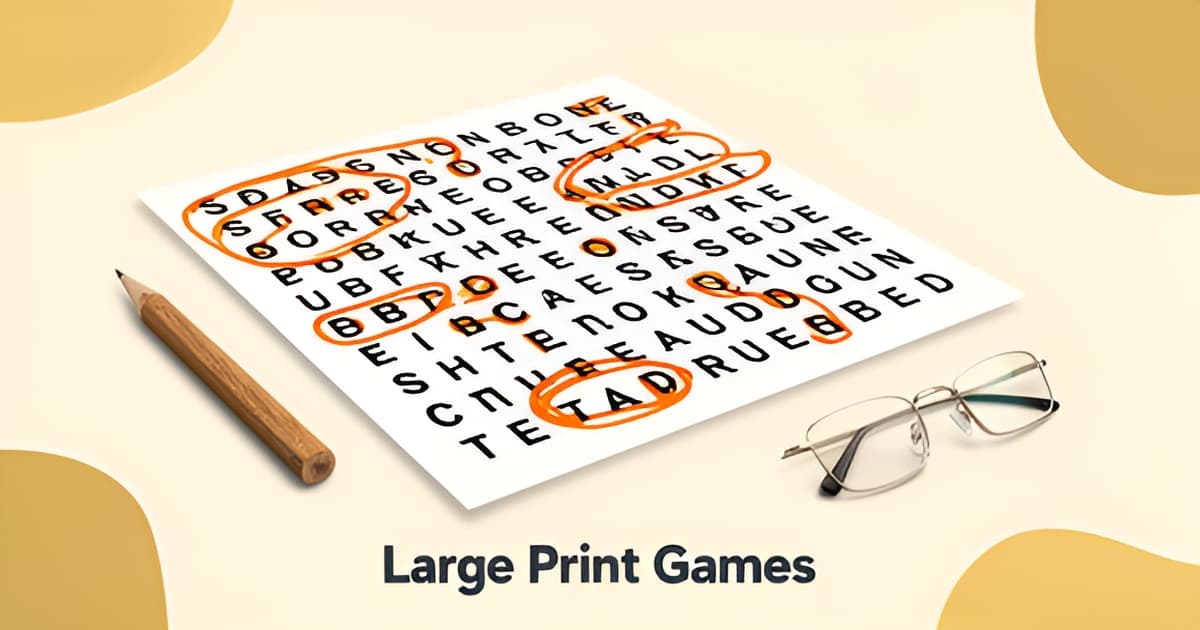
What are some good large print games for elderly people?
Key Facts
- 90% of adults over 65 experience vision changes, making 18–22pt grid letters a functional requirement for senior puzzles, according to large print design research.
- Puzzles hold a 32.4% share of the elderly educational toys market, with word searches the dominant format, per market data.
- Pure black-on-white contrast yields a 21:1 ratio, triple the WCAG AAA threshold of 7:1, while 70% gray fills drop to 4.5:1, design standards show.
- Nostalgic single-theme puzzle books outsell mixed-theme collections by roughly 3 to 1, sales data confirms.
- Well-built themed puzzle series achieve 60–80% repeat purchase rates, far above the 20–30% norm for general puzzle books, research finds.
- The sweet spot for senior word searches is 15–20 words on a 14x14 grid, with easier 12x12 versions solving in 8–12 minutes, per design guidance.
- A 2024 Lancet study found regular cognitively stimulating activities can reduce dementia risk by up to 29% in adults over 65, market research cites.
Why Large Print Matters for Senior Games
Vision changes affect 90% of adults over 65, making grid size, font choice, and contrast the difference between a frustrating experience and an enjoyable one. Research into elderly educational toys shows that puzzles hold a 32.4% share of the market, and word searches are the dominant format within that category. The best large print word searches for seniors use 18–22pt grid letters in sans-serif fonts, pure black-on-white contrast, and moderate word counts of 15–20 on a 14x14 grid. These design choices ensure that players can track words without eye strain, turning what could be fatiguing into a satisfying activity.
Contrast ratios play a major role in readability. Pure black (#000000) on white yields a 21:1 ratio, which exceeds the WCAG AAA threshold of 7:1, while 70% gray fills collapse contrast to roughly 4.5:1, making puzzles difficult to decipher. Font selection matters just as much; evenly spaced letters with ample white space between them prevent the grid from feeling cluttered, a common complaint that leads players to give up halfway through. Easy mode, where every word reads across or down, suits those with low vision or memory loss, while harder modes with diagonals and backwards words challenge experienced solvers without alienating beginners.
Personalization is one of the most effective ways to increase engagement. Using residents' names, birthdays, and familiar themes transforms a generic puzzle into something meaningful. When a solver finds a word like "MUSTANG" in a vintage cars puzzle, the brain releases dopamine not just for the find, but for the memory the word triggers. Nostalgic themes such as 1950s music, classic films, and gardening consistently outsell mixed-theme collections, with cohesive books selling at roughly three times the rate of generic lists. This connection to personal history makes the activity social as well as cognitive, encouraging players to share stories about the words they find.
Printoodle’s word search maker and printable word search tools align with these accessibility standards by enabling custom, print-ready puzzle generation. Users can input their own word lists, choose grid sizes, and download PDFs that magnify cleanly without distorting formatting, ideal for low-vision players who prefer digital downloads over static images. Whether used in a senior living community or at home, large print word searches offer a low-pressure way to exercise attention, visual scanning, and patience, especially when the design respects the player's vision and interests.
Word search maker and printable word search tools make it easy to create custom puzzles tailored to any theme or group. Print it. Doodle it. Done.
Design Standards That Make Puzzles Solvable
Not every word search works for older eyes. The difference between a puzzle someone finishes with a smile and one they abandon halfway through usually comes down to a handful of design decisions that are easy to check before you print.
Start with letter size. Grid letters should sit between 18 and 22 points in a sans-serif font, with word lists at 16 to 18pt. That threshold matters because roughly 90% of people over 65 experience vision changes, according to a large print design guide, so big type is a functional requirement rather than a nice-to-have. Large print generally means 16 to 18pt minimum, and "jumbo" starts at 20pt and up.
Contrast is the second pillar. Pure black letters (#000000) on a white background produce a 21:1 contrast ratio, which comfortably clears the WCAG AAA threshold of 7:1. Gray fills and decorative shading can quietly collapse that ratio to around 4.5:1, which is exactly the range where eye fatigue sets in within minutes. The same guide warns that cramming too many words onto one page reads as cluttered and produces the dreaded "I gave up halfway through" outcome.
Word count and grid size do the rest. The sweet spot for most seniors is 15 to 20 words on a 14x14 grid. If you're designing for someone with low vision or memory loss, drop to a 12x12 grid with 12 to 15 words, which typically solves in 8 to 12 minutes. Experienced daily solvers can handle a 16x16 grid with 20 to 24 words. Direction matters too: community-vetted puzzle design advice notes that words reading across and down are easiest to find, while diagonals are hardest, so an "easy mode" that keeps every word horizontal or vertical suits players who are new to word searches or living with memory loss, as a senior activity resource recommends.
- 18–22pt grid letters in a clean sans-serif font
- Pure black on white, no gray fills or shading
- 15–20 words on a 14x14 grid (or 12–15 on 12x12 for easier solving)
- Easy mode: words only across or down, never diagonal or backwards
The good news is you don't have to hunt for puzzles that meet these specs. Printoodle's word search maker lets you set your own word list, so you can build a puzzle around family names, birthdays, or a favorite theme and download it as a print-ready PDF. If you'd rather start from something ready-made, the printable word search tool gets you from idea to printed page in seconds. Reprints are always free, so you can resize or regenerate until the layout looks right for the person holding the pencil.
One last quality check: a well-built puzzle should interlink its words so letters cross and most of the grid gets used, per puzzle design standards. A grid that's mostly random filler letters isn't harder, just less satisfying to solve.
Personalization and Theme Choices That Boost Engagement
A word search with "MUSTANG" hidden in a vintage cars grid does more than test the eyes. According to puzzle design research, the brain releases dopamine twice when a solver finds that word: once for spotting it, and once for the memory it triggers. That double reward is why theme choice matters as much as print size when deciding what are some good large print games for elderly people.
Personalization takes this effect further. Senior activity coordinators recommend using residents' names, staff names, this month's birthdays, or upcoming events as the hidden words, because people love finding a word they know. A puzzle built around one resident's birthday turns a solo activity into a small celebration, and it gives caregivers an easy conversation starter afterward.
The sales data backs this up. Books built around a single cohesive nostalgic theme outsell "100 mixed theme puzzles" titles by roughly 3 to 1, and well-built themed series achieve 60 to 80% repeat purchase rates, far above the 20 to 30% norm for general puzzle books. Familiarity keeps people coming back. When choosing themes, the research points to a clear set of winners:
- 1950s and 1960s music, from jukebox hits to early rock and roll
- Classic Hollywood films and vintage movie stars
- Gardening, backyard birds, and vintage cars
- Family vocabulary, travel destinations, and Bible-based word lists
Just as important is knowing what to leave out. Modern tech vocabulary (apps, streaming, Wi-Fi) rarely resonates with solvers who lived most of their lives before it existed. Clinical vocabulary is an even bigger mistake: words like "medication" or "assisted" can make a puzzle feel like it's pointing at the solver's limitations rather than celebrating what they remember. Nostalgic themes sidestep both problems and keep the activity feeling warm.
Themed puzzles also earn their keep socially. After a 1950s music puzzle, activity leaders suggest asking everyone to share a memory about one of the words. One solved grid can fill twenty minutes of conversation, which is exactly the kind of structured engagement that CMS requires certified nursing facilities to provide.
The practical barrier has always been that personalized puzzles took hours to build by hand. That's where a word search maker changes the math: you type in a custom word list, whether it's family names, a decade of hit songs, or this month's birthday celebrants, and get a print-ready PDF in seconds. Printoodle's printable word search tool works the same way for ready-to-print themes, and every puzzle you create stays in your library for free reprints.
Match the theme to the person, keep the words familiar, and the puzzle becomes more than a pastime. It becomes a bridge to the stories your loved one still loves to tell.
How to Create and Use Large Print Puzzles
Creating custom large print puzzles is straightforward when you know the right settings, and Printoodle’s tools make it easy to align difficulty with any player’s ability level. The first step is choosing the right mode: easy mode keeps every word reading across or down, which suits people who are new to word searches, have low vision, or are living with memory loss, while harder modes introduce diagonals and backward words to challenge experienced puzzle fans. Printoodle’s word search maker and printable word search tools let you adjust this difficulty instantly, turning a simple word list into a print-ready PDF in seconds.
Research into large print design standards shows that grid letter size and contrast are the most important factors for readability. A 21:1 contrast ratio, pure black text on white background, exceeds accessibility guidelines and keeps eyes from fatiguing during a solve. Font choice matters too; sans-serif typefaces with even letter spacing and generous white space between letters are far easier to track than decorative styles. For the grid itself, the sweet spot for most players is 15 to 20 words on a 14x14 board; beginners or those with low vision often find a 12x12 grid with 12 to 15 words more manageable, typically solvable in eight to twelve minutes. These specifications aren’t just preferences, they are grounded in design research that shows too many words pinned to one page reads as cluttered and can cause a solver to give up halfway through.
Personalization is where custom puzzles truly shine, and it is a core strength of Printoodle’s platform. Using a player’s name, a recent birthday, or familiar themes like 1950s music or gardening turns a generic grid into something meaningful. When a solver finds a word they recognize, the brain releases dopamine not just for the find, but for the memory the word triggers. This is why themed lists outperform generic ones, books with a single cohesive nostalgic theme outsell mixed-theme collections by roughly three to one. Printoodle’s tools let you input any word list, so you can build a puzzle around a resident’s favorite flowers, a staff member’s nickname, or the month’s upcoming events, making the activity more engaging and socially connective.
The PDF format that Printoodle delivers is particularly well-suited for elderly players who may be managing vision changes. Nearly 90% of people over 65 experience some form of vision alteration, making large print functionally required rather than preferred. PDFs allow for clean magnification without distorting the grid formatting, unlike image files which can become pixelated or warped when enlarged. This is why tablets, which support pinch-to-zoom and adjustable viewing angles, are often preferred over computers for low-vision puzzle solving. By generating a print-ready PDF, you ensure the puzzle can be enjoyed on paper or on screen, adapting to the player’s preferred setup.
The final step is matching the puzzle to the individual’s current ability and interest. Easy mode with extra-large print works well for those with low vision or memory loss, while a harder mode with hidden word lists and diagonal entries suits daily puzzle fans. Nostalgic, cohesive themes, such as classic films, vintage cars, or family vocabulary, consistently perform better and spark conversation, adding a social layer to the mental exercise. Whether the goal is a solo brain boost or a group activity that encourages memory sharing, Printoodle’s word search maker provides the flexibility to create the right puzzle, print it, and get started.
Print it. Doodle it. Done.
word search maker to start designing your first custom puzzle, or explore our printable word search library for ready-made options.
Frequently Asked Questions
What are some good large print games for elderly people with vision loss?
How big does print actually need to be for seniors?
How many words should a word search have for an older adult?
Do puzzles actually help seniors' memory, or is that a myth?
What themes do seniors enjoy most in word search puzzles?
Can I make a personalized word search for my parent or a resident in my care?
Print It, Share It, Watch the Stories Flow
The best large print games for elderly people share a simple formula: 18–22pt letters, pure black-on-white contrast, 15–20 words on a 14x14 grid, and a theme that means something to the solver. Get those right, and a word search stops being a pastime and becomes a memory trigger, a puzzle featuring "MUSTANG" or a 1950s jukebox hit delivers a double dose of dopamine, once for the find and once for the story it unlocks. It's no wonder cohesive nostalgic themes outsell generic collections by roughly three to one. Ready to put this into practice? Start with one person and one theme: a grandfather's favorite cars, a resident's birthday month, a family's inside jokes. Build the word list, generate a print-ready PDF, and print as many copies as you need, reprints are always free. Try Printoodle's word search maker with a custom list, or browse the printable word search library for instant options. Print it. Doodle it. Done.