What is a good quiz game for teachers?
Key Facts
- Building a quiz from scratch eats 20-40 minutes of prep time, but document-to-quiz converters average 9-second generation from existing files.
- Game-based learning can lift student engagement by up to 75% when used with intention, according to TriviaMaker's research.
- A meta-analysis found quiz games significantly improve cognitive (g ≈ 0.49) and motivational (g ≈ 0.36) outcomes, per ZEP's research review.
- Blooket wins for K-8 engagement with 15+ game modes, while Kahoot serves older students with 40,000+ pre-made quizzes.
- Over 10 billion people have joined Kahoot games across 200 countries, according to TriviaMaker.
- One language school saw student scores jump from 53% to 79% after a reteach and follow-up quiz, LessonCue reports.
- Classroom guidance suggests quiz games work best once or twice a week, not daily, to keep learning fresh without burnout.
The Real Problem: Great Quiz Games Take Too Long to Make
It's 7:45 a.m., your first period starts in twenty minutes, and the review game you promised your students exists only as a bullet point on a sticky note. If you're asking what is a good quiz game for teachers, the honest answer starts with what happens before the game ever reaches your classroom: the build.
Building a quiz game from scratch eats 20 to 40 minutes of prep time most teachers simply don't have. You already wrote the lesson, graded the homework, and answered thirty emails. Now you're re-typing questions you already taught, hunting for engaging formats, and hoping the whole thing doesn't fall flat.
The research backs this up. Tools that convert existing materials report quiz generation in under a minute from PDFs, Word files, or pasted notes, a roughly 30× speedup over manual creation. As one vendor bluntly puts it, "creating engaging quizzes shouldn't eat up your prep time."
So what makes a quiz game "good"? Strip away the branding and three criteria keep surfacing:
- Instant creation from material you already have, not blank-page question writing
- Real engagement, since game-based learning can lift engagement by up to 75% when used with intention
- No student accounts, no IT setup, no forgotten passwords before first period
That last one matters more than teachers expect. One language school director described it plainly: students join from their phones without any account, so it "just works, every single lesson." Whether the game is digital or a printable board your students play in small groups, the friction lives or dies on setup.
There's also a pedagogical ceiling to keep in mind. Research suggests quiz games work best once or twice a week, not daily. A meta-analysis cited in the ZEP Quiz blog found significant effects on cognitive (g ≈ 0.49) and motivational (g ≈ 0.36) outcomes, but the intention behind the game matters more than the gamification itself.
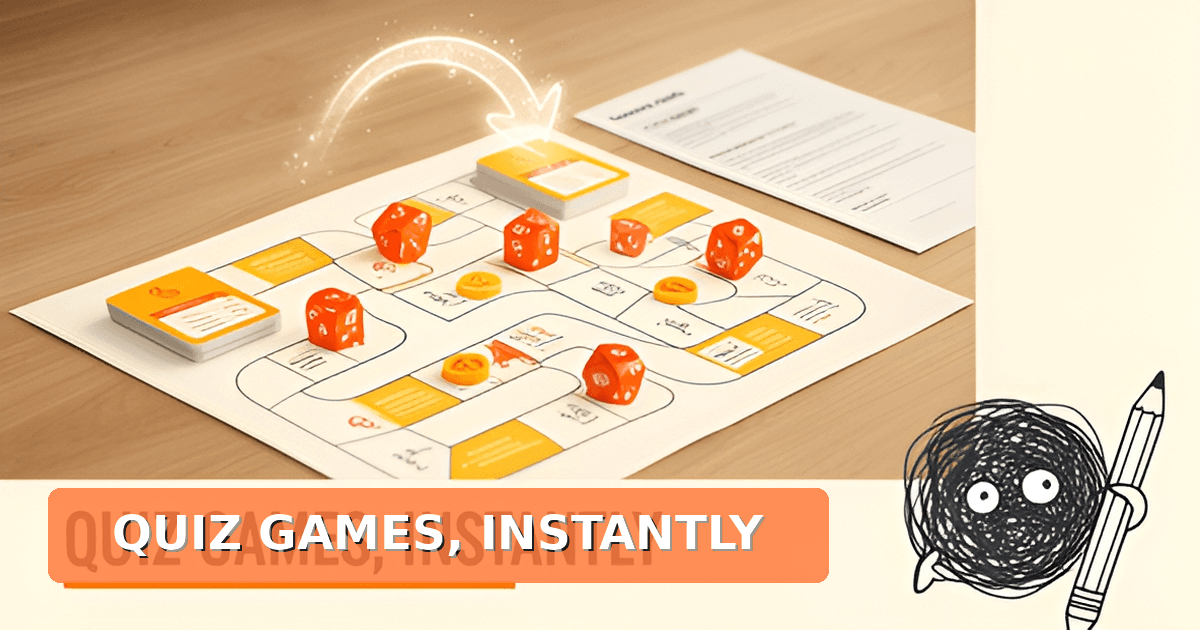
That's why the creation step deserves the scrutiny. If a tool turns your science unit into a science quiz board game or your map skills lesson into a geography quiz board game in the time it takes to print, the weekly review stops being a burden. Printoodle's quiz board game maker was built around exactly this: your content in, a print-ready game out, no accounts for anyone.
Print it. Doodle it. Done.
What Makes a Quiz Game Actually Work in Class
So you've decided a good quiz game for teachers is worth adding to your routine. The good news: the research is clear on what separates a tool that transforms Friday review from one that collects digital dust.
Start with grade-level fit, because it matters more than most teachers expect. Tech & Learning's comparison finds Blooket's cartoon characters and 15+ game modes (Tower Defense, Gold Quest, Café) suit younger students, while Kahoot serves middle and high school strategic gameplay. TriviaMaker's editorial team reaches the same conclusion: Blooket wins for K-8 engagement, Kahoot for older students and large-scale settings. Blooket also randomizes points rather than rewarding only the fastest clickers, which levels the field for kids who freeze under timers.
Second, look at the free tier. Pricing varies wildly: Google Forms is completely free, Blooket runs $4.99/month for Plus, Kahoot's free plan caps games at 40 players, and Gimkit Pro costs $9.99/month. One 2025 roundup calls Blooket's free tier the best among game platforms, so test generously before paying.
Third, and this is the part teachers often miss: use it sparingly. Classroom guidance suggests once or twice a week keeps learning fresh without burning students out.
The strongest evidence comes from a large meta-analysis cited by ZEP's research review, which found significant effects on cognitive outcomes (g ≈ 0.49), motivational outcomes (g ≈ 0.36), and behavior. But the review's key caveat deserves underlining: the intention behind gamification matters more than the gamification itself. A quiz game works when it's aligned to specific skills and standards, not when it's deployed as filler.
A quick checklist before you commit to any tool:
- Grade-level fit: Blooket for K-8, Kahoot for middle and high school
- Generous free tier so you can trial with a real unit before paying
- Creation from your existing materials, not question banks built from scratch
- Strategic use once or twice weekly, tied to a clear learning goal
One more pattern worth knowing: teachers rarely rely on a single tool. Classroom data shows most maintain stacks of two or three complementary tools for different purposes. A print-based option like Printoodle's quiz board game maker fits neatly into that stack, especially for screen-free review days. You can generate a science quiz board game or a geography quiz board game from your own lesson material in seconds, print it, and hand it to a small group while the rest of the class plays online.
Match the tool to your students, keep it purposeful, and don't overdo it. That's the whole formula.
Top Quiz Game Formats Worth Your Prep Time
When you're asking what is a good quiz game for teachers, the honest answer is that the best format depends on your grade level, your prep time, and how much screen time you want your students logging. The good news: several formats consistently earn their place in a teacher's rotation.
Blooket for K-8 engagement
Blooket has become the go-to for elementary and middle school classrooms, and the reasons are concrete. It offers 15+ unique game modes like Tower Defense, Gold Quest, and Café, where the quiz questions feed into sub-games that act as rewards. Tech & Learning also highlights its fun randomizing feature, which assigns points at random rather than to whoever answers first. That single design choice levels the playing field for students who freeze under timer pressure, and it's why many teachers consider Blooket's free tier the most generous among game platforms.
Kahoot for older students and big rooms
Kahoot remains the champion for middle and high school, where its faster, more strategic format suits older learners. The platform's library is a genuine asset: over 40,000 pre-made quizzes you can run with almost no prep, and more than 10 billion participants have joined Kahoot games across 200 countries. The free plan caps games at 40 players, which works for most classrooms but not large assemblies.
Document-to-quiz converters for instant prep
If your bottleneck is creation time rather than gameplay, conversion tools deserve a spot in your stack. These platforms turn PDFs, Word files, or pasted notes into shareable quizzes in seconds. One document-to-quiz platform reports an average generation time of 9 seconds, compared to the 20-40 minutes it takes to build a quiz from scratch. Formswrite offers a similar workflow for Google Docs and PDFs. For teachers who already have lesson material written, this is the fastest path from content to game.
Print-based quiz games: the screen-free option
Sometimes the best quiz game is one that doesn't need devices, logins, or Wi-Fi. Print-based quiz games work for stations, sub plans, early finishers, and classrooms where screens are scarce. Printoodle's quiz board game maker turns your own lesson questions into a print-ready board game PDF in seconds, and subject-specific versions like the science quiz board game and geography quiz board game get you started even faster. Print it, laminate it if you like, and it's ready for small groups. Reprints are always free from your library.
A practical note on frequency: research summarized by one education blog suggests using quiz games once or twice a week is enough to keep learning fresh. Most teachers end up with a small stack of two or three formats rather than one single tool, matching the game to the moment.
Print it. Doodle it. Done.
How to Build a Quiz Game in Minutes from Your Own Lesson Material
If you're still asking what is a good quiz game for teachers, the honest answer is one you can build from material you already have. Teachers consistently lack prep time, and tools that convert existing documents into games are rated far above those requiring manual question entry. One platform reports quiz generation from PDFs, Word files, or pasted notes in under a minute, averaging 9 seconds, versus the 20 to 40 minutes it takes to build a quiz from scratch.
Here's a workflow that fits into a single prep period:
- Start with your existing notes: a PDF unit plan, a Word handout, or text you paste directly. No rewriting required.
- Generate questions automatically from that material, then trim or edit anything that doesn't fit your class.
- Print the finished game, ready to hand out, with reprints free so you can reuse it next semester.
- Run it: as a whole-class review, a station rotation, or a low-stakes Friday wrap-up.
Subject-specific templates speed things up further. A science teacher reviewing a chemistry unit can drop in lab notes and get a science quiz board game matched to that content, while a geography unit on capital cities or landforms converts just as cleanly into a geography quiz board game. Printoodle's quiz board game maker handles the print piece: upload or paste, generate, download a print-ready PDF, and you're done.
The smartest teachers don't rely on one tool, though. Current guidance recommends a stack approach: Google Forms for formal assessments, Blooket or Kahoot for live review games, Quizizz for homework, and a document converter for turning existing content into new formats. Printoodle slots in as the print layer of that stack, especially for classrooms where devices are scarce or you want a screen-free option.
Timing matters as much as tooling. Classroom game research and practitioner guidance suggest using quiz games once or twice a week keeps learning fresh without burning out on daily prep. That cadence also gives you room to debrief after each game, which is where the actual retention gains happen.
Print it, play it, and move on with your day.
Running It Well: Frequency, Fairness, and Follow-Up
A quiz game that works brilliantly in September can feel stale by October if you run it the same way every time. Getting the routine right matters just as much as picking the right tool, and the research points to a few habits that separate effective quiz play from gimmicky fillers.
Frequency first: once or twice a week, not daily. Implementation guidance from classroom game research suggests quiz games are sufficient once or twice a week to keep learning fresh; daily use isn't needed and risks burnout for you and your students. The same principle applies to novelty. Platform research notes that stagnant engagement declines over time, while platforms that refresh content regularly maintain student interest. Rotating formats, like swapping a screen-based round for a printed quiz board game maker session from your own lesson material, keeps the routine from going flat.
Debrief every game. The learning happens after the last question, not just during it. Ask "what did we learn?" and let students articulate the takeaways before they pack up. One language school director reported score improvements from 53% to 79% after a reteach followed by a follow-up quiz, which shows how much value a quick post-game cycle adds. Even a two-minute debrief turns a fun activity into a retention tool.
Watch for engagement decline. If hands start going up slower or students groan at the familiar jingle, that's your signal to switch formats. A meta-analysis cited in gamification research found significant effects across cognitive (g ≈ 0.49) and motivational (g ≈ 0.36) outcomes, but the key is the intention behind the game, not the game itself. Constant updates and student interest monitoring are essential.
Reduce timer pressure for anxious students. Speed-based scoring rewards fast typers and can shut down thoughtful kids. Tech & Learning highlights Blooket's randomizing feature, which assigns points randomly rather than by answer speed, leveling the playing field for anyone who struggles with timer pressure. If your platform lacks that option, consider a printed format where accuracy matters more than reflexes.
Here's a quick checklist for running quiz games well:
- Schedule once or twice a week, tied to specific review goals
- Debrief with "what did we learn?" after every game
- Rotate formats to prevent staleness
- Use random or non-speed-based scoring when anxiety is a factor
- Track which topics students miss and reteach before moving on
Whether you're running a digital round or a printed science quiz board game or geography quiz board game, the routine matters more than the tool. Print it. Doodle it. Done.
Frequently Asked Questions
What is a good quiz game for teachers with no prep time?
Is Blooket or Kahoot better for my grade level?
Do quiz games actually improve learning, or are they just fun?
How often should I use quiz games in class?
Are there screen-free quiz game options for classrooms without devices?
How much do quiz game platforms cost?
The 7:45 a.m. Answer: Your Next Review Game in Under a Minute
So, what is a good quiz game for teachers? The honest answer: the one you can actually build in the time you have. The research points to three criteria, instant creation from material you already have, real engagement (game-based learning can lift engagement by up to 75%), and zero setup friction like student accounts. Match the tool to your students, Blooket for K-8, Kahoot for older grades, run it once or twice a week with a quick debrief, and keep a small stack of two or three formats so the routine never goes flat. That's where a print-ready option earns its spot: Printoodle's quiz board game maker turns your own lesson notes into a print-ready board game in seconds, with subject-specific versions like a science quiz board game or geography quiz board game ready for screen-free review days, stations, and sub plans. Reprints stay free forever, so next semester's review is already done. Your next step is simple: grab your existing unit notes, pick a format, and have tomorrow's game ready before the bell. Print it. Doodle it. Done.