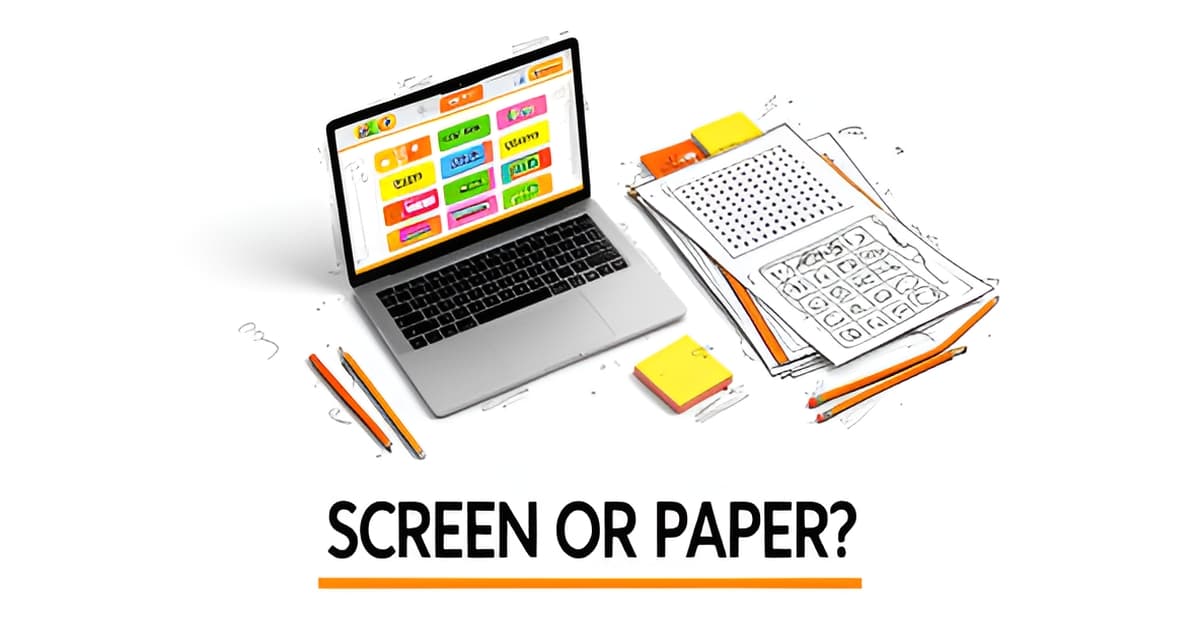
What is a good website for classroom games?
Key Facts
- Baamboozle earns a 4.8/5 rating from 42,603 teacher reviews and hosts over 4 million teacher-made games, according to its platform data.
- Flint K12's classroom game builder serves over 250,000 teachers and offers 16 games sortable by type and grade, per its official site.
- Kahoot is called "the most directly relevant classroom game platform" by iD Tech's edtech roundup, used in thousands of classrooms.
- Larry Ferlazzo's 2025 list flags AI-powered tools like Factile's Jeopardy maker and Kwizai, drawing on 18 years of curation.
- Connections Academy curates eight learning game sites for elementary and middle school, yet none mention printables.
- Standards alignment with Common Core and NGSS tops Legends of Learning's five-point checklist, making games lesson-ready rather than just fun.
- Brain breaks typically run 2–5 minutes, and quick games like Pictionary and Heads Up use 60-second timers, making short-format games genuine attention resetters.
The Real Problem: Finding Games That Actually Fit Your Classroom
You've probably typed "what is a good website for classroom games" into a search bar more than once, and gotten back a wall of links that all look promising. Baamboozle alone hosts over 4 million teacher-made games and carries a 4.8/5 rating from more than 42,000 reviews. So the problem isn't a shortage of options. It's that most of them quietly assume something your classroom may not have: a device for every student.
Most popular platforms are built for screen-heavy play. Kahoot, Quizizz, and Blooket dominate the conversation, and Larry Ferlazzo's 2025 roundup shows the space is only getting more crowded, with new AI quiz builders appearing every few months. But when your cart of Chromebooks is shared across four classrooms, or the Wi-Fi drops mid-lesson, a device-first game site stops being a solution and starts being a liability.
There's also the backup problem. Very few platforms let you print what's on screen when the tech fails. Flint K12 is one exception, letting teachers press Print beside a game or request a printable version, and its builder is used by over 250,000 teachers. Beyond that, printable options are thin. Curated lists like Connections Academy's roundup of eight learning game sites focus almost entirely on digital play, with no mention of printables at all.
When you strip away the marketing, the research points to three criteria that separate the useful from the merely fun:
- Real engagement: Games need hooks that hold attention, not just quiz questions on a screen. Teacher reviews consistently cite animated themes and surprise elements as what keeps students asking to play again.
- Standards alignment: Legends of Learning puts alignment with Common Core and NGSS at the top of its checklist, because it makes games lesson-ready instead of just filler.
- Low prep and flexible delivery
That last one matters more than teachers often admit. A game that takes 20 minutes to set up, or that dies the moment the projector does, isn't low prep. As Victoria Hegwood notes on the Prodigy blog, effective learning games should be adaptable to individual skill levels and aligned with curriculum standards, so the game works for your actual students, not a hypothetical class.
This is also where a printable library earns its place alongside the big digital names. Printoodle sits in the gap most platforms leave open: you can generate word searches, bingo cards, flashcards, and worksheets from your own lesson material in seconds, and reprints from your library stay free forever. For the moments when you need something physical in students' hands, a set of ready-to-go one minute games for kids gives you a backup that never depends on a login or a strong signal.
The best answer to the question, then, isn't one site. It's a shortlist that covers every scenario your week throws at you.
What Makes a Good Website for Classroom Games: The Top Platforms
So, what is a good website for classroom games? The short answer: it depends on your setup, but a handful of platforms keep winning teachers over, and the data explains why.
Baamboozle sits at the top of most lists, and the numbers back it up: a 4.8/5 rating from 42,603 reviews and a library of over 4 million teacher-made games, according to the platform's own site. Its biggest selling point is simplicity. You play from one screen, so students don't need devices at all. Teachers echo this: one K-12 technology coach reports making 250 games himself, and an English teacher claims nothing else compares for student engagement.
Kahoot, Quizizz, and Blooket form the other tier. iD Tech calls Kahoot "the most directly relevant classroom game platform," noting it transforms traditional hand raising into a whole-class game across thousands of classrooms. Quizizz and Blooket add animated themes, power-ups, and assessment tracking, which educator Larry Ferlazzo says makes them better when you need data on what students actually learned.
Ferlazzo's 2025 roundup highlights a shift: multiple tools now use AI for game creation. His picks include:
- Factile's AI-powered Jeopardy game maker
- Kwizai, a free AI quiz creator that needs no sign-up
- Khanmigo, which exports question sets straight to Blooket
- Kahoot, Quizizz, and Blooket, still the standards for private virtual rooms
His verdict on Kwizai is honest: easy to use, but weaker on assessment data than the established players.
Here's what most lists miss: digital platforms rarely print well. Flint K12 is one of the few exceptions. Its classroom game builder, used by 250,000+ teachers, offers 16 games sorted by type and grade, and you can press Print beside any game or ask its assistant for a printable version. Brain breaks run 2–5 minutes, and its Jeopardy format gives you five categories with clues from 100 to 500.
If you want printables without the AI step, a pre-built library covers the same ground: word searches, crosswords, bingo, flashcards, mazes, and trivia cards, all ready to print in seconds. Printoodle's library works this way, and reprints stay free forever, so a game you like in September still costs nothing in May. For quick transitions between lessons, the one minute games for kids collection fits neatly into those gaps in the schedule.
Whichever platform you pick, the research points to one test: does it align with what you're already teaching? Standards alignment, as Legends of Learning puts it, is what makes a game lesson-ready instead of just fun.
The Printable Gap: Why Digital-Only Sites Fall Short
If you've found a good website for classroom games, you've probably noticed something the roundups rarely mention: almost none of them can put a single activity in your students' hands without a screen. The major platforms are built for digital play, and when the Wi-Fi drops or the cart is booked, your brilliant game plan goes with it.
The gap is real. Connections Academy curates eight learning game sites for elementary and middle school, and none of them mention printable resources. The Prodigy blog covers online learning games without naming any third-party printable options. Larry Ferlazzo's well-regarded 2025 list is similarly digital-first. Even Baamboozle, with its 4.8/5 rating from 42,603 reviews and 4 million teacher-made games, is designed for screen-based play rather than paper handouts.
The rare exception is Flint K12, used by more than 250,000 teachers. Its FAQ tells teachers to "Press Print beside the game to print what's on screen," or ask its assistant for a printable version that "builds one with its own Print button." That dual capability is unusual, and it points to situations where paper isn't a nice-to-have but a requirement:
- Brain breaks that run 2–5 minutes, where logging in thirty Chromebooks takes longer than the activity itself
- Substitute days, when a sub needs materials that work without logins, apps, or troubleshooting
- Learning stations in classrooms where devices are shared, limited, or absent
- Take-home practice, since not every student has reliable internet or a device after school
Baamboozle markets its "one screen, no devices needed" format partly for these same reasons, and it solves the in-classroom version of the problem well. But one shared screen still doesn't give each student something to hold, cut, or complete independently. Paper does, and that's exactly what most platforms quietly leave teachers to create on their own time.
This is where a printable library earns its keep. Printoodle's pre-built collection of word searches, bingo, flashcards, mazes, and worksheets means a teacher can pull a print-ready page in seconds instead of building one from scratch at 10 p.m. Its one minute games for kids are a natural fit for those short brain breaks, and because everything you generate stays in your library, reprints are always free. That matters for substitute folders and station rotations, where you reprint the same materials year after year.
The honest takeaway: digital platforms and printables aren't competing options, they cover different moments in a school week. The smart move is having both in your toolkit before the week demands it.
How Printoodle Fills the Gap With Instant Printables
Here's the problem most teachers run into: the best-known classroom game sites are almost entirely digital. When you ask "what is a good website for classroom games," you'll get great answers like Baamboozle, which holds a 4.8/5 rating from more than 42,600 reviews and offers over 4 million teacher-made games. But most of those platforms assume you have a screen, a projector, and a working internet connection.
The printable gap is real. A review of major game platforms found that curated lists of learning game sites rarely mention printable resources at all. Flint K12 stands out as one of the few digital tools that addresses it, letting teachers "press Print beside the game to print what's on screen" or ask its assistant for a printable version, a feature that has drawn more than 250,000 teachers to its game builder.
Printoodle's library takes a different route to the same problem. Instead of adapting a screen-based game for paper, it generates print-ready activity pages from the start, built from your own lesson material or photos. That means:
- Word searches and crosswords generated from your actual vocabulary list or reading passage
- Bingo cards and trivia cards themed around whatever unit you're teaching
- Flashcards, mazes, and dot-to-dot pages for early finishers or centers
- Coloring pages, including photo-to-line-art conversions of a class pet or school event
- Worksheets and themed activity packs you can download as a print-ready PDF in Letter or A4
Because everything you make is saved in your library, reprints are free forever. Lose the master copy the night before the sub shows up? Print it again at no cost. That's a small promise that matters a lot in a classroom.
The most practical setup pairs the two formats. Run a digital game like Baamboozle or a Kahoot-style quiz when devices and energy levels cooperate, then keep printable backups on hand for days when the Wi-Fi fails, the Chromebook cart is booked, or you need something quiet for the last ten minutes. For those short windows, Printoodle's one minute games for kids work well alongside quick printable brain breaks, since research on classroom games shows short breaks typically run just 2 to 5 minutes.
A simple workflow looks like this: build your digital game for the main lesson, generate a matching word search or bingo set from the same material, and file both in your library. When the tech cooperates, play on screen. When it doesn't, hand out paper. Either way, the content stays aligned to what you're actually teaching, which is what separates a lesson-ready game from a filler activity.
Print it. Doodle it. Done.
Build Your Classroom Game Toolkit: A Quick Action Plan
You've seen the options. Now let's turn them into a Monday-morning plan you can actually use.
Start by picking one digital platform for whole-class play. Don't try to master five sites at once. If engagement is your priority, Baamboozle is hard to beat: it carries a 4.8/5 rating from 42,603 teacher reviews and a library of over 4 million teacher-made games, all playable from one screen with no student devices needed. If you want assessment data instead, Larry Ferlazzo notes that platforms like Quizizz and Blooket track student performance better than lighter tools.
Next, run your choice through the standards-alignment checklist from Legends of Learning. Their five-point framework puts standards alignment (NGSS, Common Core, or state standards) first, because that's what makes a game lesson-ready instead of just fun. A quick check before you commit saves you from reteaching a concept the game glossed over.
Then build your low-prep backup: a printable library. This is where most digital platforms fall short. Most offer no built-in print option at all, and even Flint K12, used by 250,000+ teachers, handles printing as an afterthought. A Printoodle library of word searches, bingo cards, flashcards, and mazes covers you when the Wi-Fi drops or you need five quiet minutes at the end of the day. Everything you generate stays in your library, and reprints are free forever, so you build once and reuse every year.
Here's the whole framework in three steps:
- Pick one digital platform for whole-class play and learn it well before adding a second.
- Check standards alignment using the Legends of Learning checklist before you build lessons around a game.
- Stock a printable backup library for no-tech days, early finishers, and last-minute sub plans.
For those in-between moments, like a stretch between lessons or a class that needs a reset, one minute games for kids fit the gap. Brain breaks typically run 2–5 minutes, and quick-format games like Pictionary and Heads Up use 60-second timers, so short activities genuinely work as attention resetters rather than time-fillers.
The goal isn't a huge toolkit. It's a small one you trust: one platform, one quality filter, and a drawer of printables. That's a system that survives a busy school year.
Print it. Doodle it. Done. Build your printable backup library today: verify your email and get 10 free credits to generate your first word searches, bingo sets, and flashcards on Printoodle.
Frequently Asked Questions
What are the best websites for classroom games if I don't have enough devices for every student?
Can I print games from digital platforms when the Wi-Fi is down or the projector fails?
How do I know if a game website is actually aligned with what I'm teaching, or just a fun filler?
What should I look for in a classroom game platform besides just entertainment value?
Are there any game sites that work well for short brain breaks between lessons?
I keep seeing Baamboozle recommended, is it actually better than Kahoot or Blooket?
Your Answer Isn't One Website, It's a System
So, what is a good website for classroom games? The honest answer is that no single site does it all. Baamboozle's 4.8/5 rating from 42,603 teacher reviews proves how well one-screen digital play can work, while the printable gap most platforms leave open is exactly why a backup plan matters. Your best move is the three-step toolkit from this article: pick one digital platform and learn it well, run it through a standards-alignment check before building lessons around it, and stock a printable library for no-tech days, sub folders, and those 2–5 minute brain breaks. Printoodle makes that last step almost effortless, generate word searches, bingo, and flashcards from your own lesson material in seconds, with reprints free forever. Start small this week: choose your platform, print one backup set, and file both where you can grab them on a chaotic Tuesday. Print it. Doodle it. Done. Verify your email today and get 10 free credits to build your first printable set.