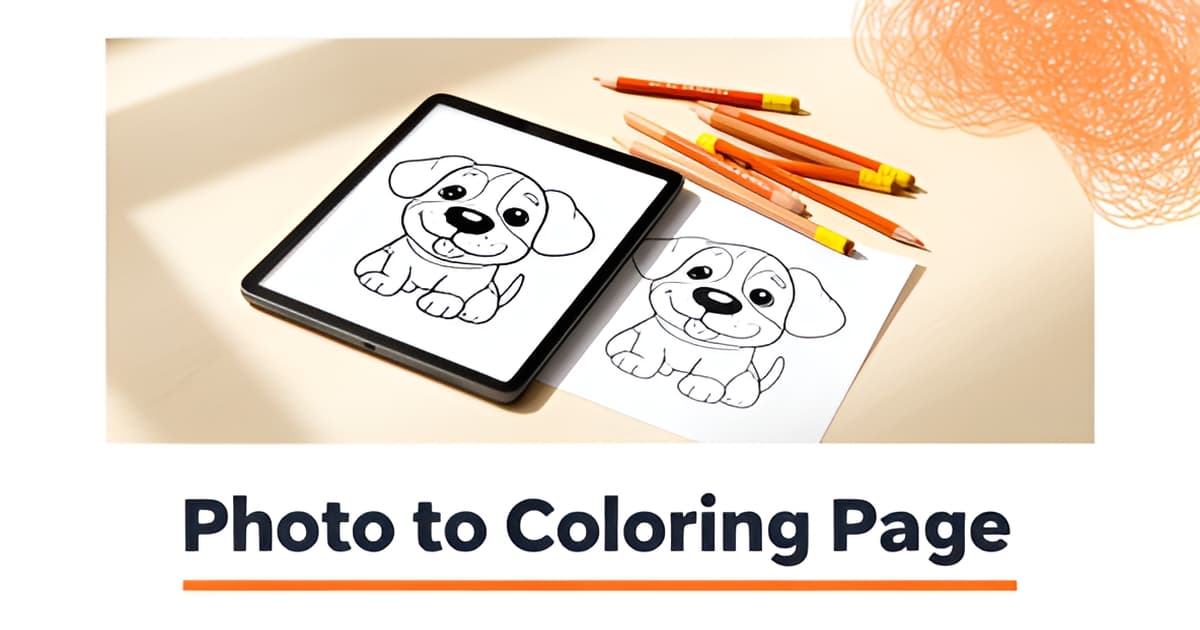
What is the app that makes coloring pages?
Key Facts
- Color by Number's downloads fell from 137K to 74K in a single quarter, according to Sensor Tower's Q1 2025 data.
- Color Pop AI led US coloring apps at roughly $204K in weekly peak revenue, yet its downloads slid from 234K to 101K, per Sensor Tower's market report.
- Printoodle gives 10 free credits on email verification, with paid credit packs starting at just $5 and reprints free forever.
- A reviewer who tested ten AI coloring generators concluded there's no best tool, only the best fit for your workflow, in her hands-on comparison.
- Adobe Firefly's image-to-coloring-page tool accepts photos up to 100MB and outputs PNG files, per Adobe's product page.
- GenColor.ai offers a 100% free trial with no login required, downloading high-resolution PDF and PNG files directly to your device, according to its site.
- The best AI coloring generator is the one with the fewest fragile handoffs from concept to print, one workflow analysis argues.
Why Most Coloring Apps Won't Give You What You Actually Want
If you've ever typed "what is the app that makes coloring pages" into an app store, you've probably noticed something frustrating: almost everything that comes up is designed for coloring pre-made pages, not making your own. Apps like Color Pop AI, Color by Number, and Pigment give you someone else's artwork to fill in. If you want to turn your dog's photo into line art or build a dinosaur page around your kid's name this Saturday, those apps can't help.
The numbers suggest the market has noticed, too. According to Sensor Tower's Q1 2025 US market report, most top coloring apps saw declining downloads and active users. Color by Number from Wildlife Studios dropped from 137K to 74K downloads, and its active users fell from 716K to 353K. Even Color Pop AI, the top revenue performer at roughly $204K in weekly peak revenue, watched its downloads slide from 234K to 101K.
That's a classic saturation pattern. People have colored enough pre-made mandalas and licensed characters, and the appetite is shifting toward something the consumption apps were never built for: making pages that are actually personal. A teacher wants a coloring sheet tied to this week's lesson. A parent wants the birthday child's name worked into the party activities. A crafter wants her cat, not a generic cartoon cat.
The good news is that a small set of creation-focused tools does exist, and knowing their names helps you search the right category instead of the wrong one:
- Printoodle, which generates print-ready coloring pages, photo-to-coloring-page conversions, word searches, mazes, and full activity packs from a photo or a short brief
- GenColor.ai, which focuses on photo-to-coloring-page and text-to-image generation with a free trial that requires no signup
- ColorBliss, another AI generator aimed at custom coloring sheets
- Adobe Firefly, whose image-to-coloring-page tool fits best if you already live inside the Adobe ecosystem
One reviewer who tested ten AI coloring generators put it plainly: there is no single best tool, only the best tool for your workflow, depending on how many pages you need and how fast. Printoodle's angle is breadth and practicality. You upload a photo or type a short brief, spend a credit, and download a print-ready PDF, and everything you make stays in your library so reprints are free forever. That matters if you're printing the same word search maker output for a class of twenty-five, or pulling a printable word search back out of storage for next year's unit.
So if your app store search keeps surfacing apps that want you to color inside the lines someone else drew, that's why. The tool you're actually looking for lives in a different category entirely.
Print it. Doodle it. Done.
What Is the App That Makes Coloring Pages? Meet Printoodle
If you've ever searched for "what is the app that makes coloring pages," you've probably noticed most results are apps for coloring pre-made pages, not tools for creating your own. That's the gap Printoodle fills: it's a web app where you upload a photo, a document, or a short brief, spend a few credits, and download a print-ready PDF in seconds.
The distinction matters because the coloring app market is dominated by consumption tools. According to Sensor Tower's Q1 2025 report, most top US coloring apps saw declining downloads and active users, with Color by Number dropping from 137K to 74K downloads in a single quarter. People seem to be looking for something more personal than another page of generic cartoon animals.
Printoodle works like this: you describe what you want or upload an image, the app generates the page, and you get a clean PDF sized for Letter paper (with an A4 toggle). Everything you make is saved to your library, so reprints are always free. If your kid loves a page today, you can print it again next month without paying twice.
While coloring is the headline feature, the suite goes well beyond it:
- Photo-to-line-art coloring pages, including pet portraits turned into outlines
- Pixel color-by-number mystery pictures
- Word searches, crosswords, mazes, and dot-to-dot pages
- Bingo and trivia cards for showers and parties
- Themed party packs and classroom worksheets
That breadth is what separates it from single-function generators. As one reviewer who tested ten AI coloring book generators put it, there's no "best" tool, only the best tool for your workflow. If you need a coloring page today and a word search tomorrow, using one tool for both beats juggling three subscriptions. Printoodle's word search maker, for example, lets teachers build puzzles from their own lesson material, and the printable word search pages come out ready to hand to a classroom.
Getting started costs nothing upfront. Verify your email and you get 10 free credits, enough to test several formats before spending anything. When you need more, credit packs start at $5, and since reprints stay free forever, a single credit can fuel an entire birthday kit or classroom set.
One practical note: Printoodle is built as a family product, with safe-for-kids defaults and no trademarked characters, so what you generate is fine to print for a group of six-year-olds. Upload a photo, spend a credit, download the PDF. Print it. Doodle it. Done.
How Printoodle Compares to Other Coloring Page Generators
Finding the right tool to turn a photo or idea into a printable activity page often means choosing between a single-function generator and a broader creator platform. For parents planning a rainy-day activity, a teacher differentiating instruction, or a host prepping a bridal shower, the decision comes down to workflow: does the tool streamline the process from concept to print, or does it require multiple handoffs to get a usable result?
The broader coloring app market is currently dominated by consumption-focused platforms. Recent data shows that established apps like Color Pop AI led the US market with approximately $204K in weekly peak revenue, though most top competitors showed declining downloads and active users in Q1 2025, signaling saturation in the consumption space. This creates an opening for creation-focused tools like Printoodle, which empower users to generate custom pages rather than simply coloring pre-made content.
Printoodle distinguishes itself by offering a diverse suite of activity page types beyond simple coloring. While competitors like GenColor.ai focus primarily on photo-to-coloring-page conversions and Adobe Firefly provides image-to-line-art generation within the Adobe ecosystem, Printoodle provides word searches, crosswords, mazes, dot-to-dot, and themed party packs in a single platform. This multi-activity breadth means users aren’t locked into one format; a single account can generate a coloring page for a child’s birthday, a word search based on a lesson plan, and bingo cards for a bridal shower, all within the same library.
The research highlights a critical distinction between tools that generate images and tools that deliver print-ready files. GenColor.ai offers a free trial without requiring a login and downloads directly to the device as high-resolution PDF and PNG, but its output is coloring-only. Adobe Firefly’s image-to-coloring-page tool supports photos up to 100MB and outputs as PNG format, though users operate within the Adobe ecosystem. ColorBliss provides another AI generation option, but like many free-tier tools, it addresses a single function. Printoodle’s key differentiator is its direct print-ready PDF output. Users upload a photo or brief, spend credits, and download a PDF formatted for Letter or A4 paper. Because the file is ready to print immediately, there is no need to reformat or resize in a separate design program. As the BookCoversLab analysis of AI coloring book creators notes, the best tool is the one with the fewest fragile handoffs, and Printoodle’s direct PDF export aligns with that principle by reducing production steps.
The choice between these tools ultimately depends on the user’s specific workflow. Renee Clancy’s review of AI coloring book generators frames this well: “There is no ‘best’ tool. There is only the best tool for your workflow.” For users who need diverse activity types, free reprints, and a library to organize past creations, Printoodle offers a versatile solution. Its credit-based system starts with 10 free credits on email verification, and every creation lives in a permanent library where reprints are free forever, beneficial for teachers reprinting worksheets or parents generating multiple copies for a party.
Ready to see what you can create? word search maker and printable word search tools are ready for you to try. Print it. Doodle it. Done.
Getting Started: Your First Custom Coloring Page in Under Two Minutes
If you've been wondering what is the app that makes coloring pages, the honest answer is that it takes less time to make one than to explain it. With Printoodle, you can go from idea to a print-ready PDF in under two minutes, and your first batch of pages costs nothing.
Here's the whole process, start to finish.
Step 1: Verify your email. Sign up and confirm your email address to receive 10 free credits. That's enough for your first several pages, and you only spend a credit when you actually generate something. Reprints from your library are always free, so one generation can serve a whole classroom or birthday party.
Step 2: Choose your input. This is where the app adapts to you rather than the other way around. You have three options:
- A photo for pet portraits or family pictures turned into line art. A clear, well-lit shot works best, the same way photo-to-coloring tools generally recommend high-resolution JPEG or PNG uploads under about 5MB for fast processing.
- A short brief for themed pages. Type something like "dinosaur birthday party" or "space adventure" and let the generator do the rest.
- A document for teacher worksheets. Upload your own lesson material and turn it into activities, or pair it with the word search maker for vocabulary review built from your actual word lists.
Step 3: Generate and download. Spend a credit, wait a few seconds, and download your page as a print-ready PDF. The default is Letter size for US printers, with an A4 toggle if you're printing elsewhere. This matters more than it sounds: a lot of AI tools stop at generating an image, leaving you to handle formatting and export yourself. As one workflow analysis put it, the best generator is the one that gets you from concept to print with the fewest fragile handoffs.
Step 4: Find it in your library. Everything you make lives in your library forever, and reprints never cost a credit. Print a page today, and it's still there when your second child wants the same one, or when you need a fresh copy after a juice-box incident.
Not sure where to start? Try one of these:
- Parents: build a birthday kit with your child's name on every page, then add a themed printable word search to round out the activity table.
- Teachers: turn this week's lesson material into a worksheet, then reuse the same content as a quiz or review page from your library.
- Gifters: upload a photo of someone's dog or cat and turn it into a coloring page. It's a genuinely personal gift that costs one credit.
That's the entire learning curve. Print it. Doodle it. Done.
Frequently Asked Questions
What is the app that actually makes coloring pages instead of just letting you color them?
How long does it take to make my first custom coloring page?
Is it free to try, or do I have to pay upfront?
Why do all the coloring apps in the app store seem the same?
Can I turn a photo of my pet into a coloring page?
Can I make more than just coloring pages, like word searches for my classroom?
From Search to Print-Ready in Minutes
So, what is the app that makes coloring pages? If you've read this far, you know the answer isn't hiding in the app store's coloring category, it lives in the creation space, where tools like Printoodle turn your photos, briefs, and lesson material into print-ready PDFs in seconds. The market data backs this up: consumption apps like Color by Number saw downloads fall from 137K to 74K in a single quarter, per Sensor Tower's Q1 2025 US market report, while demand for personalized pages keeps growing. The real advantage is workflow: one credit, one download, and free reprints forever from your library, whether that's a birthday kit, a classroom worksheet, or a pet portrait gift. Your next step takes under two minutes: verify your email, claim your 10 free credits, and generate your first page. Try the word search maker or grab a printable word search to see the quality for yourself. Print it. Doodle it. Done.