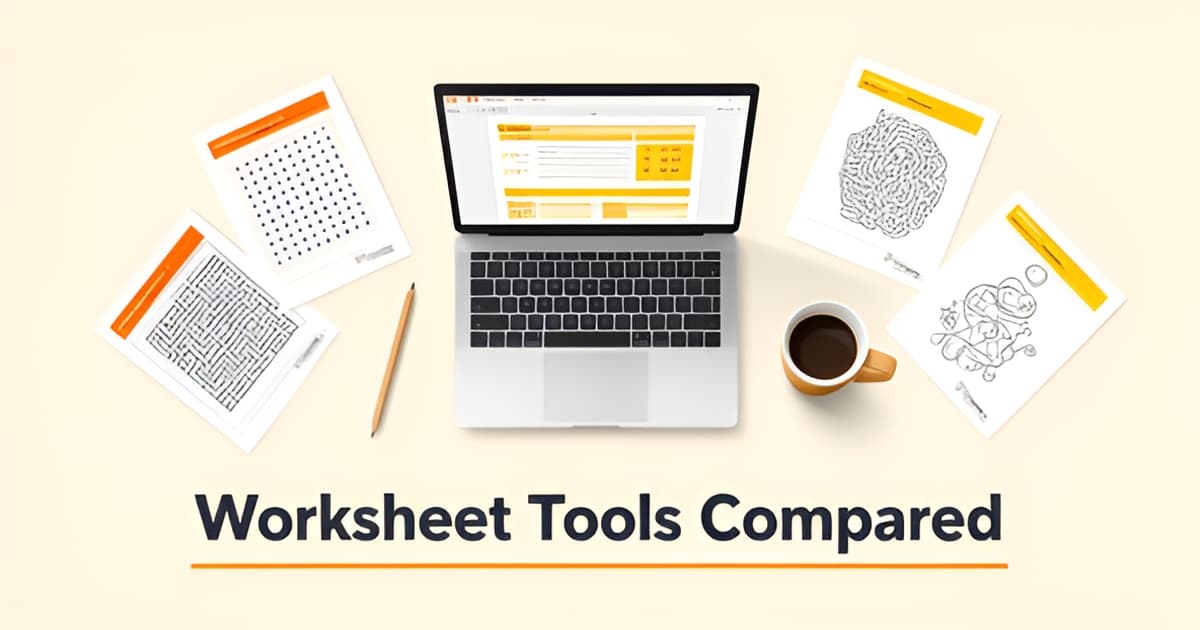
What program do teachers use to make worksheets?
Key Facts
- Teachers spend 7–12 hours per week creating instructional materials according to one industry review.
- 6 in 10 teachers used an AI tool at least occasionally during the 2024-25 school year per a Walton Family Foundation/Gallup poll.
- Only about 10% of 300+ AI-generated lesson plans promoted higher-order thinking in a UMass Amherst study.
- AI worksheet generator subscriptions cluster tightly at $9 to $15 per month according to hands-on reviews.
- Drawing improves recall twice as effectively as writing out definitions per research cited by ASCD.
- None of the major AI worksheet generators are documented as offering puzzle generation like word searches or crosswords based on reviewed platform features.
- MagicSchool claims 94% of its teacher users gain 7+ hours per week, though that figure is vendor-reported and unverified according to the company.
The Worksheet Prep Problem: 7 to 12 Hours a Week
Ask any teacher what program they use to make worksheets, and you'll probably get a tired laugh before you get an answer. Behind that question sits a number most people outside the classroom never see: the typical teacher spends 7 to 12 hours every single week creating instructional materials, according to one industry review. That's an entire second workday burned on formatting documents rather than actually teaching.
The pressure is real, and it's changing behavior fast. A Walton Family Foundation/Gallup poll of more than 2,200 educators found that 6 in 10 teachers used an AI tool at least occasionally during the 2024-25 school year. Districts are responding too: Kearny Schools in New Jersey convened a committee and formally approved three AI platforms so teachers could generate worksheets and quizzes without guessing what was allowed.
So why does the "which program" question matter more than ever? Because the tools teachers choose shape what their students actually do in class, and the current options have real trade-offs baked in:
- Speed vs. quality: a UMass Amherst study of 300+ AI-generated lesson plans found only about 10% promoted higher-order thinking.
- Breadth vs. polish: reviewers note that feature-packed tools like MagicSchool produce "functional but visually plain" worksheets, while design-first tools like Canva have weaker question quality.
- Cost vs. budget: subscription worksheet generators cluster at $9 to $15 per month, a real stretch on a teacher's salary.
- Text vs. puzzles: the major AI generators focus on passages, multiple choice, and fill-in-the-blank, while education sources explicitly recommend puzzles and crosswords to boost engagement.
That last gap matters most. A specialized tool like Printoodle's word search maker or its printable word search generator fills exactly the puzzle-shaped hole the big AI platforms leave open, and it does so at a price point well under the $9-to-$15 subscription band.
There's a caution worth holding onto as you compare options, though. "Generating something faster doesn't eliminate the work and time of making it good," UMass Amherst researcher Chenyang Xu told NBC News. The right program saves you those 7 to 12 hours without handing your students busywork. Finding it means knowing what each tool actually does well, and that's what the rest of this comparison is for.
The Programs Teachers Actually Use (and What They Cost)
So which program do teachers actually use to make worksheets? The honest answer: a handful of AI generators, and their pricing is more similar than you'd expect. Subscription tools cluster tightly at $9 to $15 per month, according to hands-on reviews of the category, while a couple of options stay free.
MagicSchool AI is the default starting point for many teachers because it's free for individual use, with paid plans for schools and districts. Its Plus tier runs $12.99 per month, or $8.33 monthly if billed annually. The company claims 94% of teacher users gain 7+ hours per week, though that figure is vendor-reported and unverified.
Diffit charges $14.99 per month for its Pro plan, positioning itself around leveled reading passages rather than layout. Education Copilot sits at the low end at $9 per month and reports more than 100,000 teachers on its platform. Canva for Education is free for verified K-12 educators, which explains its popularity given that institutions consistently favor free or freemium tools on cost and accessibility grounds. LessonPrint takes a different approach entirely, charging roughly $2 to $5 per month in API tokens under a bring-your-own-key model.
Here's where reviews get blunt. Tools with the broadest feature sets, like MagicSchool and Education Copilot, produce worksheets reviewers describe as "functional but visually plain." Design-first tools like Canva flip the problem: beautiful layouts, weaker AI question quality.
The deeper concern is pedagogical. A UMass Amherst study of 300+ AI-generated lesson plans found only about 10% promoted higher-order thinking. As researcher Chenyang Xu put it, "Generating something faster doesn't eliminate the work and time of making it good."
Notably absent from every one of these platforms: puzzle generation. None are documented as producing word searches, crosswords, mazes, dot-to-dot, or bingo, even though teaching resources explicitly recommend puzzles and crosswords as engagement boosters. That's the gap Printoodle was built to fill: its word search maker and printable word search tools generate print-ready PDFs from your own vocabulary lists in seconds, with credit packs starting at $5 instead of a monthly subscription.
The pattern is clear: text-heavy AI generators handle passages and quizzes well, but if you want puzzles, coloring, or visual activities on the page, you'll need a specialist tool alongside them.
The Gap None of Them Fill: Puzzles
Teachers today face a worksheet gap that AI tools simply can’t bridge. While 6 in 10 teachers reported using an AI tool at least occasionally during the 2024-25 school year, education sources explicitly recommend puzzles and crosswords as engagement boosters, noting that incorporating elements like puzzles or crosswords can add a fun twist to traditional exercises. Yet none of the researched AI worksheet generators are documented as offering puzzle generation, a documented coverage gap in the competitive landscape that aligns with Printoodle’s feature set. This is the opening where Printoodle’s word search maker and printable word search tools step in, offering teachers a way to add high-engagement activities that general-purpose AI platforms overlook.
The research shows teachers spend 7–12 hours per week creating instructional materials, burning through what amounts to a second workday on document formatting rather than actual teaching. Printoodle directly addresses this time burden by letting teachers generate print-ready activity pages in seconds: themed coloring pages, photo-to-coloring-page conversions, pixel color-by-number mystery pictures, word searches, crosswords, trivia cards, bingo, flashcards, mazes, dot-to-dot, classroom worksheets, and themed party packs. Everything a teacher creates lives in a library where reprints are always free, eliminating the frustration of recreating the same activity year after year. The platform serves a wide audience, from parents of kids 3-12 looking for rainy-day activities to party hosts generating bridal shower bingo, but for teachers specifically, Printoodle provides a cost-effective alternative to the $9–$15/month subscription clustering seen across the AI worksheet generator market. With a free tier offering 10 credits on email verification and credit packs starting from $5, Printoodle undercuts the cost barrier that shapes teacher tool selection, especially for institutions favoring accessible, freemium platforms. Drawing-based activities also improve recall twice as effectively as writing out definitions, research shows, supporting Printoodle’s visual and coloring formats as pedagogically sound complements to text-heavy worksheets. word search maker and printable word search tools let teachers customize puzzles from their own lesson material in minutes, turning review time into something students actually look forward to.
How to Choose: Speed, Quality, and Price
Speed is the easy part. Almost any program teachers use to make worksheets can now generate a page in seconds, but a UMass Amherst study of 300+ AI-generated lesson plans found that only about 10% promoted higher-order thinking. Generating something faster doesn't eliminate the work of making it good, as one of the study's researchers put it.
Quality matters more than teachers might assume. Research by Wammes and colleagues found that drawing improves recall twice as effectively as writing out definitions, which means visual formats like puzzles, mazes, and coloring-based activities carry real cognitive weight beyond mere novelty value. That's worth remembering when you evaluate a tool's output: a fill-in-the-blank sheet is material, not a lesson.
So how do you actually pick? A few practical criteria cut through the marketing:
- Does it fit your actual prep burden? Teachers spend 7–12 hours a week creating materials, so a tool should save time on your workflow, not add a new one to learn.
- Does it produce activities students remember? Look for visual and puzzle formats rather than text drills alone. Education sources specifically recommend puzzles and crosswords as engagement boosters.
- Can you customize from your own material? A generic passage is less useful than one built from what you're actually teaching this week.
- Is the pricing sane? Subscriptions for AI worksheet tools cluster at $9–$15/month, which adds up fast on a teacher's budget.
That last point deserves a closer look. Most AI worksheet generators run on monthly plans: Diffit Pro at $14.99, Education Copilot Pro at $9, MagicSchool Plus at $12.99. Printoodle takes a different approach. You get 10 free credits just for verifying your email, credit packs start at $5, and reprints from your library are free forever. If you regenerate a word search maker page for next year's class, you pay nothing.
There's also a coverage gap worth knowing about. None of the major AI worksheet generators are documented as offering puzzle generation, despite puzzles being pedagogically endorsed. Printoodle builds its whole catalog around that gap: word searches, crosswords, mazes, dot-to-dot, bingo, and flashcards, all printable as printable word search pages and other formats in seconds.
The bottom line: pick a tool that saves your Sunday, produces activities students actually retain, and doesn't bill you monthly for the privilege. Print it. Doodle it. Done.
Your 5-Minute Worksheet Workflow with Printoodle
So you've picked your tool. Now what matters is how fast you can go from lesson material to a stack of papers in your students' hands. If you're still wondering what program do teachers use to make worksheets without losing an evening to formatting, this five-minute workflow is the answer.
Teachers spend 7 to 12 hours a week creating instructional materials, according to one industry comparison, which is essentially a second workday spent on document prep instead of teaching. Printoodle's workflow is built to collapse that time. You bring the content you already have, and the generator handles the layout, grid, and print formatting.
Step 1: Feed in your lesson material. Upload a document, paste a short brief, or just list the vocabulary terms from this week's unit. The word search maker turns your own word list into a themed puzzle in seconds, so the activity reinforces exactly what you taught, not a generic word bank.
Step 2: Download a print-ready PDF. Every finished page comes as a properly formatted PDF, with Letter as the default and an A4 toggle if your school uses international paper. No fiddling with margins, no dragging text boxes around, no "will this fit on one page" anxiety.
Step 3: Keep everything in your library. Here's where Printoodle differs from most worksheet programs: every page you generate lives in your library, and reprints are free forever. Need the same puzzle again next semester for a new class? Open your library and print. That's it.
- Generate a puzzle or worksheet from your own material in seconds
- Download as a print-ready PDF in Letter or A4
- Store every page in your library with unlimited free reprints
- Reuse and adapt activities across periods, terms, and years
The reprint model matters more than it sounds. Education sources recommend puzzles and crosswords as engagement boosters, but teaching guides also stress that a worksheet is material, not a lesson. You'll want to reuse what works and refine what doesn't, and a library with free reprints makes that iteration cost nothing. A ready-made printable word search you can print on demand is a genuine time-saver during a busy week.
One quality note: a UMass Amherst study of 300+ AI-generated lesson plans found only about 10% promoted higher-order thinking, so treat any generated page as a starting point and shape it to your students. Your judgment stays in charge.
Want to see the workflow before spending a credit? Try this free sample prompt: "Create a 15-word science vocabulary word search for 4th graders on the water cycle, with a fun doodle theme."
Print it. Doodle it. Done.