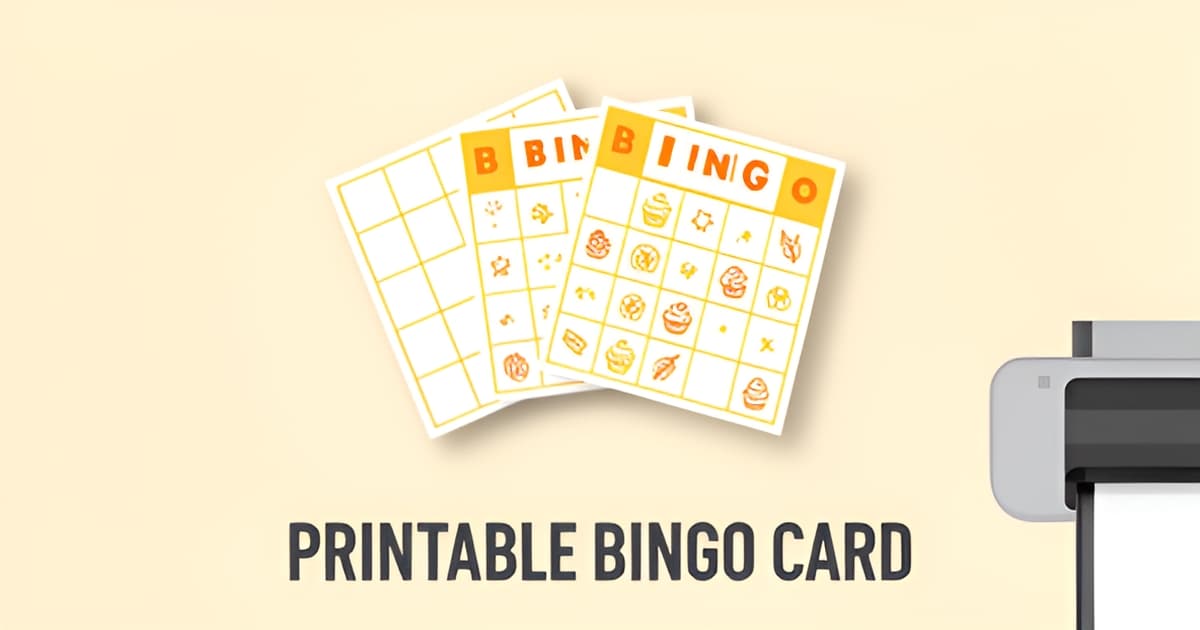
Where can I get free bingo cards?
Key Facts
- Bingo Card Creator offers 87 blank templates and 106 full ones, plus a free online caller tool.
- ScoreRoute generates up to 50 unique cards per batch entirely in your browser with no server uploads.
- Univers Studio provides 7 themed word lists, 300 DPI PNG export, and promises no watermarks on the card area.
- Many free online bingo cards "have some kind of watermark on them, or that they're not quite your taste," notes BingoBlitz.
- The free Bingo Card Generator app on Google Play has 5,000+ downloads and prints up to 60 books of six cards.
- EmojiFlashcards offers free PDFs in three grid sizes, 5x5, 4x4, and 3x3, in both A4 and Letter formats.
- One teacher's trick: have players draw pictures or write words on blank cards to keep them engaged, shared via EmojiFlashcards.
Why Finding Good Free Bingo Cards Is Trickier Than It Sounds
You need bingo cards for tomorrow morning, or for a birthday party this weekend, or for a rainy afternoon that's already spiraling. So you search "where can I get free bingo cards" and immediately hit a wall of options that all look promising and behave very differently. Some are polished generators, some are blank PDFs, and more than a few come with strings attached.
The biggest complaint is watermarks. As BingoBlitz notes, many free online cards "have some kind of watermark on them, or that they're not quite your taste." That's a real problem when you're printing 30 cards for a classroom and every one of them carries a logo across the grid. Some newer tools push back on this: Univers Studio explicitly promises "no watermarks on the card area," and ScoreRoute makes similar claims. So the watermark issue depends heavily on which tool you pick.
Then there's the genericness problem. Most free options are blank templates or plain number cards. EmojiFlashcards offers three grid sizes (5x5, 4x4, and 3x3) as free PDFs in both A4 and Letter, while Bingo Card Creator provides 87 blank templates and 106 full ones. Useful, but none of them know that your class is studying volcanoes this week or that your sister's bridal shower has an inside-joke theme.
Here's what typically goes wrong with free bingo cards:
- Watermarks printed across the card, forcing a paid upgrade to remove them
- Signup walls that demand an email before you can download anything
- Generic designs and number-only grids with no room for your own words or theme
- Rigid formats: the Bingo Card Generator app on Google Play, for instance, only produces books of six cards in fixed 1-90 style, up to 60 books total
The signup hassle deserves special mention. Some tools handle it gracefully: ScoreRoute and Univers Studio both process everything in your browser with no logins and no server uploads. Others bury the download behind a registration flow, which is frustrating when you just need ten cards in the next five minutes.
There's also a middle path worth knowing about. Personalized generators like Printoodle's bingo card generator sit between the free blank-template world and paid print shops. You get 10 free credits just for verifying your email, everything you make stays in a library with free reprints forever, and the cards can carry your actual theme. That matters for classroom-specific variants like reading bingo, where the words on the grid need to match your lesson, not a preset list.
Free doesn't have to mean compromised, but it does mean knowing what to check before you hit print: watermark policy, signup requirements, and whether the tool accepts custom words. Each option below trades off those three things differently.
Where You Can Get Free Bingo Cards Today: The Main Options Compared
If you're wondering where you can get free bingo cards, you have four solid routes: blank PDF templates, web-based generators, a mobile app, or DIY methods. Each works best for different situations, so here's how they stack up.
Templates are the fastest option when you just need plain grids. EmojiFlashcards offers three grid sizes (5x5, 4x4, and 3x3) as free PDFs in both A4 and Letter formats. For more variety, Bingo Card Creator provides 87 blank templates, 106 full templates, and a free online caller tool.
A teacher tip from EmojiFlashcards: have players draw their own pictures or write their own words on blank cards. It keeps them engaged and makes the game more personal.
Generators give you unique cards in seconds. ScoreRoute produces up to 50 unique cards per batch and processes everything client-side, so nothing gets uploaded to a server. Univers Studio adds 7 themed word lists (Animals, Food, Space, Ocean, Christmas, School, Sports), 300 DPI PNG export, and layouts of 1, 2, 4, or 6 cards per page.
Both tools support US (1-75) and UK (1-90) bingo formats and require no signup. For themed, personalized cards beyond generic numbers, Printoodle's bingo card generator is another option, and its reading bingo tool is handy if you're building cards around a book list or classroom theme.
The free Bingo Card Generator app on Google Play has 5,000+ downloads and prints books of six cards, with three books per A4 page and up to 20 pages (60 books total). It's ad-supported, which is the trade-off for free mobile generation.
You can always draw grids by hand or build them in a word processor. BingoBlitz's guide covers the manual approach, including themed options for Christmas, Halloween, and bridal showers.
Here's where sources disagree. BingoBlitz claims free online cards typically "have some kind of watermark on them, or that they're not quite your taste." Yet ScoreRoute and Univers Studio both explicitly advertise watermark-free output, with Univers Studio stating there are "no watermarks on the card area." The honest answer: it depends on the tool, so check before you print a full batch.
- Laminate cards for reuse across multiple game sessions
- Use 3x3 grids for younger players or shorter games
- Keep a master caller list so you can verify wins
- Match grid size to your audience, since it "significantly impacts the pace and excitement of your game"
Blank templates win on speed, generators win on volume, and personalized tools win when you need something themed. Print it. Doodle it. Done.
The Catch With Free Templates: They're Generic, Not Yours
So you've found your free bingo cards. The catch is what's actually printed on them. If you're still asking where you can get free bingo cards that fit your occasion, the honest answer is: most free options give you numbers or empty grids, and that's where they stop.
Blank templates are exactly that: blank. EmojiFlashcards offers PDFs in three grid sizes, from a 5x5 with 25 squares down to a 3x3 with nine, and that's the whole product. Bingo Card Creator goes bigger on volume, with 87 blank card templates and 106 full ones, but the full ones are still generic. One teacher's workaround was to have players draw their own pictures or write their own words on the empty squares, which works, but it means the personalization is entirely on you.
Themed generators get closer, but they're still someone else's list. Univers Studio ships seven themed word lists, including Animals, Food, Space, Ocean, Christmas, School, and Sports, each with 40+ words. BingoBlitz adds Christmas, Halloween, and bridal shower themes. Useful, until you want something specific:
- Bingo cards themed to your child's actual birthday, name included
- A card set built from this week's reading vocabulary list, not a generic "School" list
- Bridal shower squares about the actual couple, not stock shower clip-art words
There's also the taste problem. As BingoBlitz notes, free online bingo cards often "have some kind of watermark on them, or that they're not quite your taste." Some newer generators, like Univers Studio, now claim watermark-free output, but the design is still theirs, not yours.
This is the gap Printoodle fills. Its bingo card generator creates personalized, print-ready cards from your own brief or material, so the theme matches your event instead of a preset. For teachers, the reading bingo tool turns your lesson content into the game itself, which is a different proposition entirely from handing out blank grids and hoping students fill them well.
The pricing model is friendly to first-timers: you get 10 free credits on email verification, and everything you generate lives in your library where reprints are always free. So once your birthday set or reading unit exists, printing thirty more copies for next year's class costs nothing.
Free templates are a fine starting point. They're just a starting point. When the cards need to be about your kid, your students, or your bride, generic stops being good enough.
Print it. Doodle it. Done.
How to Choose and Print Your Cards: Practical Tips That Actually Help
Once you've found your free bingo cards, the real work starts: picking the right format for your players and making the cards survive more than one game. A few practical choices here save you from a room full of bored kids or a disputed win.
Match the grid to your audience. As Bingo Card Creator puts it, grid size "can significantly impact the pace and excitement of your game," so keep your audience in mind. The standard options across free tools are 3x3 (9 squares), 4x4 (16 squares), and 5x5 (25 squares), according to EmojiFlashcards' template guide. Use 3x3 for younger kids or quick games; go with 5x5 and a FREE center for standard play; and choose 3x9 strips if you're running UK-style 1-90 bingo, which generators like ScoreRoute support alongside US 1-75 cards.
Two more habits worth adopting. Laminate your cards so you can reuse them for months, a tip both EmojiFlashcards and BingoBlitz recommend. And keep a master caller list of every word or number in play, so when someone shouts "bingo!" you can actually verify the win.
Here's the teacher trick that changes everything, though. One educator writing for EmojiFlashcards shared: "My favorite way to use the blank bingo template as a teacher was to have players draw their own pictures or write their own words. This kept the players engaged and made the game even more fun." Hand out blank cards, read the word list aloud, and let players fill their own grids. They're invested before the first number is even called.
- Blank template: best for classrooms and engagement. Players write or draw their own entries, and you need nothing but a printer.
- Free generator: best for big groups. ScoreRoute, for example, produces up to 50 unique cards per batch, so nobody has to share.
- Personalized credits: best when you want themed, custom cards. Printoodle's bingo card generator builds print-ready cards around your own words and theme, and its reading bingo tool does the same for literacy games. You get 10 free credits just for verifying your email.
If you're running a one-off rainy-day game, a blank template does the job. If you're hosting a party or want cards that match your theme, spend a couple of credits and get something nobody else has.
Print it. Doodle it. Done. Grab your 10 free credits at Printoodle and generate your first set today.
Frequently Asked Questions
Where can I get free bingo cards without a watermark?
Do I have to sign up or give my email to download free bingo cards?
Can I make bingo cards with my own words for free?
How many free bingo cards can I print at once?
What grid size should I use for kids' bingo?
How can teachers make bingo more engaging with free cards?
Ready to Print? Here's Your Next Move
So, where can I get free bingo cards? You now know the honest answer: plenty of places, but they trade off differently. Blank templates from sites like EmojiFlashcards are the fastest route when plain grids will do. No-signup generators such as ScoreRoute and Univers Studio handle big batches, up to 50 unique cards per batch, and both claim watermark-free output, though BingoBlitz warns that free cards often "have some kind of watermark on them, or that they're not quite your taste," so always check before printing a full run. The catch remains the same: free cards are generic. When the squares need to say your child's name, match this week's vocabulary list, or celebrate the actual couple at the shower, a personalized bingo card generator closes the gap, and Printoodle's reading bingo tool turns your lesson material into the game itself. Your next step is simple: match the tool to your occasion, laminate what you'll reuse, and keep a caller list handy. Grab your 10 free credits, and print it. Doodle it. Done.