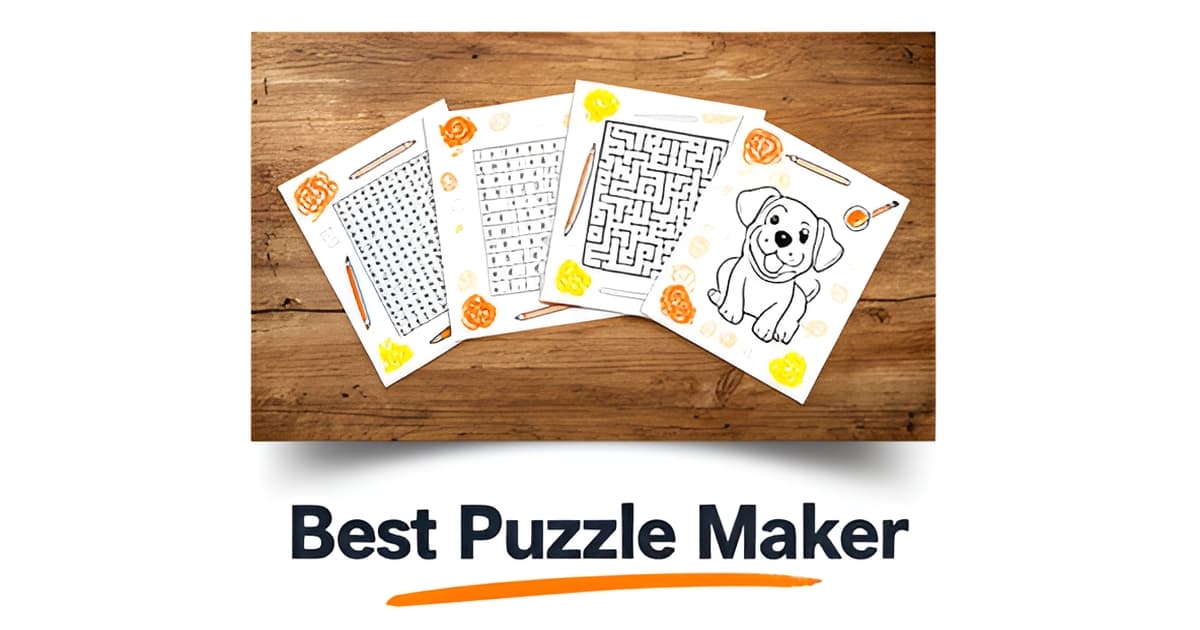
Who is the best puzzle maker?
Key Facts
- Canva's word search maker limits users to just two grid sizes, 9x9 or 15x15, according to its product page.
- Grid Genius covers crosswords only, charging $7.99/month for Pro while capping free users at 2 AI hints per day, per its site.
- Discovery Education's Puzzlemaker offers 10+ free puzzle types but is strictly educational with no design personalization, its site confirms.
- Puzzle Maker Pro is a Windows-only desktop app with a watermarked free demo, aimed at commercial publishers rather than families, per its own positioning.
- Custom jigsaw brands like Ravensburger (49–1500 pieces) and PuzzleYOU (up to 2000 pieces) sell keepsakes, not instant printable activities, one gift guide notes.
- Printoodle offers a free tier of 10 credits, packs from $5, and free reprints forever, no subscription and no machine lock-in.
- Printoodle is the only tool in this comparison spanning word searches, crosswords, mazes, bingo, flashcards, and photo-to-coloring-page conversions in one platform.
The Problem With Finding a Puzzle Maker: Every Tool Does One Thing
Finding a puzzle maker that actually fits your needs shouldn’t feel like hunting for a needle in a haystack. The reality is that the market is fragmented by user type, not puzzle type, leaving most creators stuck with tools that solve one problem but ignore everything else.
Consider the landscape of available options. Discovery Education’s Puzzlemaker is built exclusively for the classroom, offering over ten puzzle types but lacking any design features for personal use. Canva’s word search maker is a design-friendly option, but it restricts users to just two grid sizes, 9x9 or 15x15, limiting what you can actually create. Grid Genius focuses solely on crosswords, requiring a $7.99 monthly Pro subscription to access its full features. For publishers needing desktop control, Puzzle Maker Pro is Windows-only software designed for commercial output, excluding Mac users without a virtual machine. Meanwhile, physical brands like Ravensburger and Elms sell premium keepsake jigsaws, which are beautiful but entirely separate from the need for instant, printable activities.
This fragmentation means that no single tool covers the full spectrum of needs, from a parent looking for a rainy-day activity to a teacher generating a quiz from lesson material, or a party host printing bridal bingo. Each solution hits a narrow niche, forcing users to juggle multiple subscriptions or accept limited functionality.
- Canva: word searches only, limited to 9x9 or 15x15 grids
- Grid Genius: crosswords only, $7.99/month for Pro
- Puzzlemaker: education-only, no design personalization
- Puzzle Maker Pro: Windows-only desktop software
Printoodle was built for exactly this kind of creator. As a consumer web app, it lets anyone generate personalized, print-ready activity pages in seconds, word searches, crosswords, mazes, bingo, flashcards, and even photo-to-coloring-page conversions. Users upload a photo, a document, or a brief prompt, spend credits, and download a PDF that works in Letter or A4 format. Everything they create lives in a personal library where reprints are free forever. This breadth, combined with a free tier of 10 credits and credit packs starting at $5, makes it the only tool in this comparison that serves parents, teachers, party hosts, adult colorers, and gifters from a single platform.
For anyone searching for the best puzzle maker for everyday family and classroom use, Printoodle’s combination of breadth, personalization, and instant print-ready output is unmatched. Print it. Doodle it. Done.
word search maker and printable word search options are available now.
What Actually Makes a Puzzle Maker the 'Best': Five Criteria That Matter
Finding the best puzzle maker depends on what you actually need to create. For families and teachers looking for instant, personalized activities, the field narrows quickly. Research shows that most tools optimize for a single puzzle type or user segment, leaving a gap for anyone who needs variety.
Consider the landscape: Discovery Education Puzzlemaker offers over 10 puzzle types, but it is strictly an educational tool with no design customization. Canva provides design polish, but its word search maker limits users to just two fixed grid sizes, 9x9 or 15x15. Puzzle Maker Pro is Windows-only desktop software with a watermarked demo, aimed at commercial publishers rather than everyday creators. Grid Genius focuses exclusively on crosswords at a $7.99 monthly subscription tier. Printoodle distinguishes itself by spanning parents, teachers, party hosts, and adult colorers within a single platform, offering word searches, crosswords, mazes, bingo, flashcards, and photo-personalized activities.
The research also highlights a contradiction in pricing models. Grid Genius operates on a subscription basis, while Puzzle Maker Pro uses a one-time purchase with watermarked output. Printoodle’s credit-pack model sits between these poles, offering a free tier of 10 credits upon email verification, credit packs starting at $5, and free reprints forever on every generated PDF. This approach reduces friction for users who need to create multiple activities without recurring costs or software limitations.
Personalization is another deciding factor. Grid Genius markets AI-generated crosswords with claims that each puzzle is original, but Printoodle extends this concept across multiple activity types. A teacher can generate a word search from their own lesson material, a parent can turn a pet photo into a coloring page, or a party host can create custom bridal bingo cards, all within seconds. This breadth of personalization, combined with instant print-ready PDF output and a library where reprints are always free, positions Printoodle as the only tool in this comparison that serves the full spectrum of family and classroom needs.
Print it. Doodle it. Done.
Ready to create your first activity? word search maker and printable word search pages are free to try with your 10 starter credits.
Why Printoodle Comes Out on Top for Families and Classrooms
When you line up the research, one pattern jumps out: every competitor does one thing well and stops there. Canva makes word searches but locks you into just two grid sizes, 9x9 or 15x15, according to its product page. Grid Genius covers crosswords only, at $7.99/month for Pro. Puzzle Maker Pro sells a one-time license for a Windows-only desktop app aimed at self-publishers, per its own positioning, and even requires a virtual machine to run on a Mac.
That single-lane approach is exactly where Printoodle breaks away from the pack. If you're weighing who is the best puzzle maker for real family and classroom life, breadth matters, because a rainy Saturday isn't just a word search day. Printoodle generates word searches, crosswords, mazes, dot-to-dot, bingo, flashcards, coloring pages, and photo-to-coloring-page conversions in one place. You can build a themed puzzle with the word search maker in the morning, then pull from printable word search pages for the classroom the same afternoon.
Personalization is the second differentiator. Grid Genius markets the idea that each AI crossword is original, and that points to where the market is heading. Printoodle goes further: a teacher can turn their own lesson material into a quiz, a parent can put a child's name on a birthday kit, and a photo of the family dog can become a coloring page. Discovery Education's Puzzlemaker offers 10+ puzzle types for free, per its site, but it's strictly an educational tool with no personalization or design layer at all.
Then there's pricing, where the contrast gets blunt:
- Printoodle: 10 free credits on signup, packs from $5, and reprints free forever from your library.
- Grid Genius: $7.99/month subscription, free tier capped at 2 AI hints per day.
- Puzzle Maker Pro: one-time Windows-only license, with a watermarked free demo.
A subscription bills you whether you make puzzles that month or not. A desktop license ties you to one machine. Credit packs with free reprints mean you pay once and print the birthday bingo cards for every kid in the class, then print them again next year at no cost.
Instant, print-ready output closes the case. Every Printoodle activity downloads as a print-ready PDF, Letter size by default with an A4 toggle, generated in seconds from a photo, a document, or a short brief. Physical custom jigsaw brands like Ravensburger and Elms sell keepsakes, as one gift guide puts it, and lovely ones at that. But when you need twenty worksheets before first period, or a party activity tonight, breadth plus personalization plus instant output is the combination nothing else in this comparison offers. Print it. Doodle it. Done.
How to Put Printoodle to Work: Three Real Use Cases
The best puzzle maker is the one you'll actually use on a Tuesday night with a lesson plan due at 8 a.m. So let's skip the theory and walk through three real scenarios where Printoodle earns its keep.
You've just finished a unit on volcanoes and want a review activity that doesn't eat your prep period. Traditional tools split the work: Discovery Education's Puzzlemaker offers 10+ puzzle types but stops at basic print puzzles, while Canva's word search maker locks you into just two grid sizes, 9x9 or 15x15.
With Printoodle, you paste your volcano vocabulary into the word search maker, add a short brief for a matching trivia quiz, spend a few credits, and download a print-ready PDF. Letter format comes standard with an A4 toggle for international classrooms. When next semester rolls around, the puzzle is still in your library, and the reprint costs nothing.
Store-bought activity books go stale fast, and generic party printables can't spell "Maya." A parent can type a short brief, mention the theme and the birthday child's name, and generate a whole kit: a themed printable word search, a coloring page, maybe a maze. The pages are safe-for-kids by default, with no trademarked characters to worry about.
The flow is the same every time:
- Upload a photo or type a short brief describing what you want
- Spend credits from your pack (the free tier starts with 10)
- Download the print-ready PDF, Letter or A4
- Reprint any time from your library, free, forever
Shower games are usually a scramble of half-remembered ideas and hand-drawn grids. A host planning a bridal shower can generate bingo cards and trivia from a short brief about the couple: how they met, the proposal story, the honeymoon destination. Minutes later, every guest has a card. Compare that with Grid Genius, which covers crosswords only at $7.99/month for Pro, or Puzzle Maker Pro, a Windows-only desktop license built for commercial publishers. Neither fits a Saturday-afternoon party plan.
Personalization is what separates a good puzzle from a forgettable one. A word search built from your actual lesson material, a birthday kit bearing your child's name, trivia about the couple everyone in the room knows: these get used, not recycled.
Whatever the occasion, the workflow stays the same: brief in, PDF out, reprint whenever. Print it. Doodle it. Done.
Frequently Asked Questions
Who is the best puzzle maker for families and classrooms?
Is there a free puzzle maker that doesn't require a subscription?
What's the best puzzle maker for teachers?
Can I make personalized puzzles with my child's name or my own photos?
Do custom jigsaw brands like Ravensburger count as puzzle makers?
Which puzzle maker works on both Mac and Windows?
The Best Puzzle Maker Is the One That Does It All
When every other tool on the market forces you to choose between puzzle type, platform, or price, Printoodle stands apart as the only solution that truly fits the way real families and classrooms work. From word searches and crosswords to mazes, bingo cards, and photo-to-coloring-page conversions, Printoodle delivers a breadth of activity types that no single competitor can match, all within a few seconds and a single download. This versatility eliminates the need to juggle multiple subscriptions or accept limited functionality, making it the practical choice for anyone who needs instant, printable results. For anyone searching for the best puzzle maker for everyday family and classroom use, Printoodle’s combination of breadth, personalization, and instant print-ready output is unmatched. Print it. Doodle it. Done.